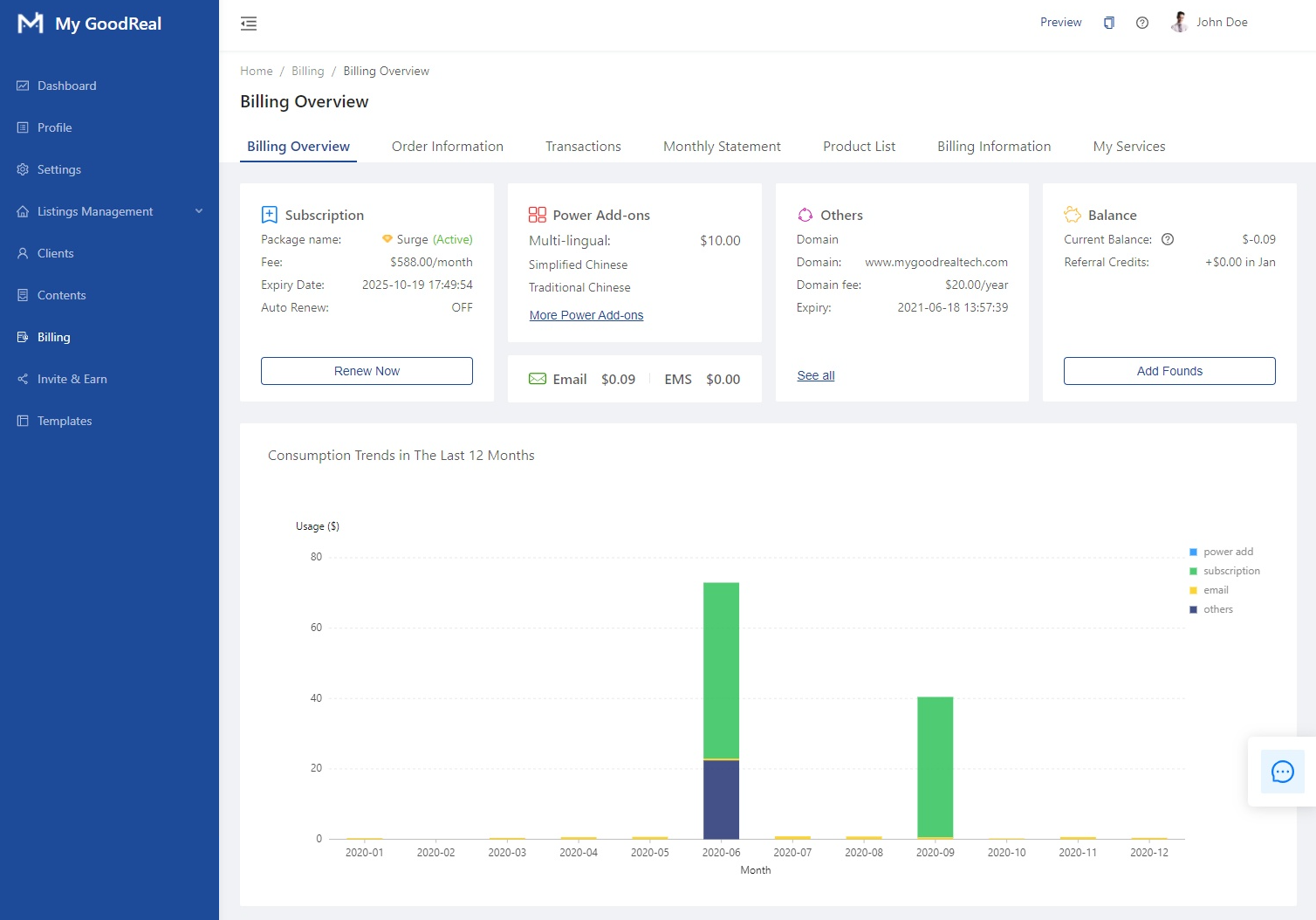
Here you can see an overview of the following sections:
- Subscription
- Power Add-Ons
- Others (i.e., Domains)
- Balance
- Consumption Trends
Subscription
View your Package name (i.e., your subscription plan), Fee, Expiry Date, and whether Auto Renew is enabled/disabled. Click Renew Now to manually renew your subscription plan.

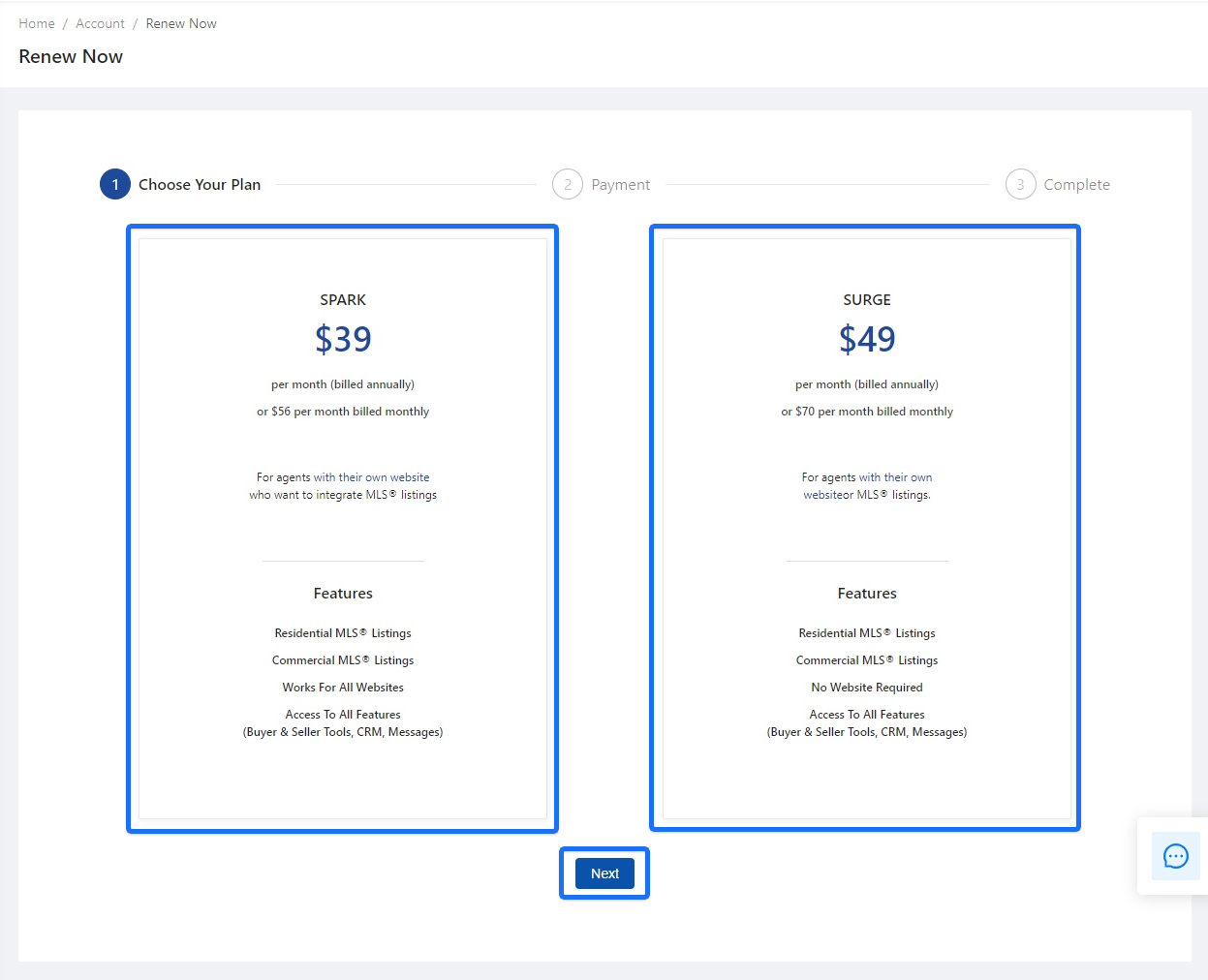
Click to choose the Spark or Surge subscription plan. Click Next to continue to Payment.
Payment
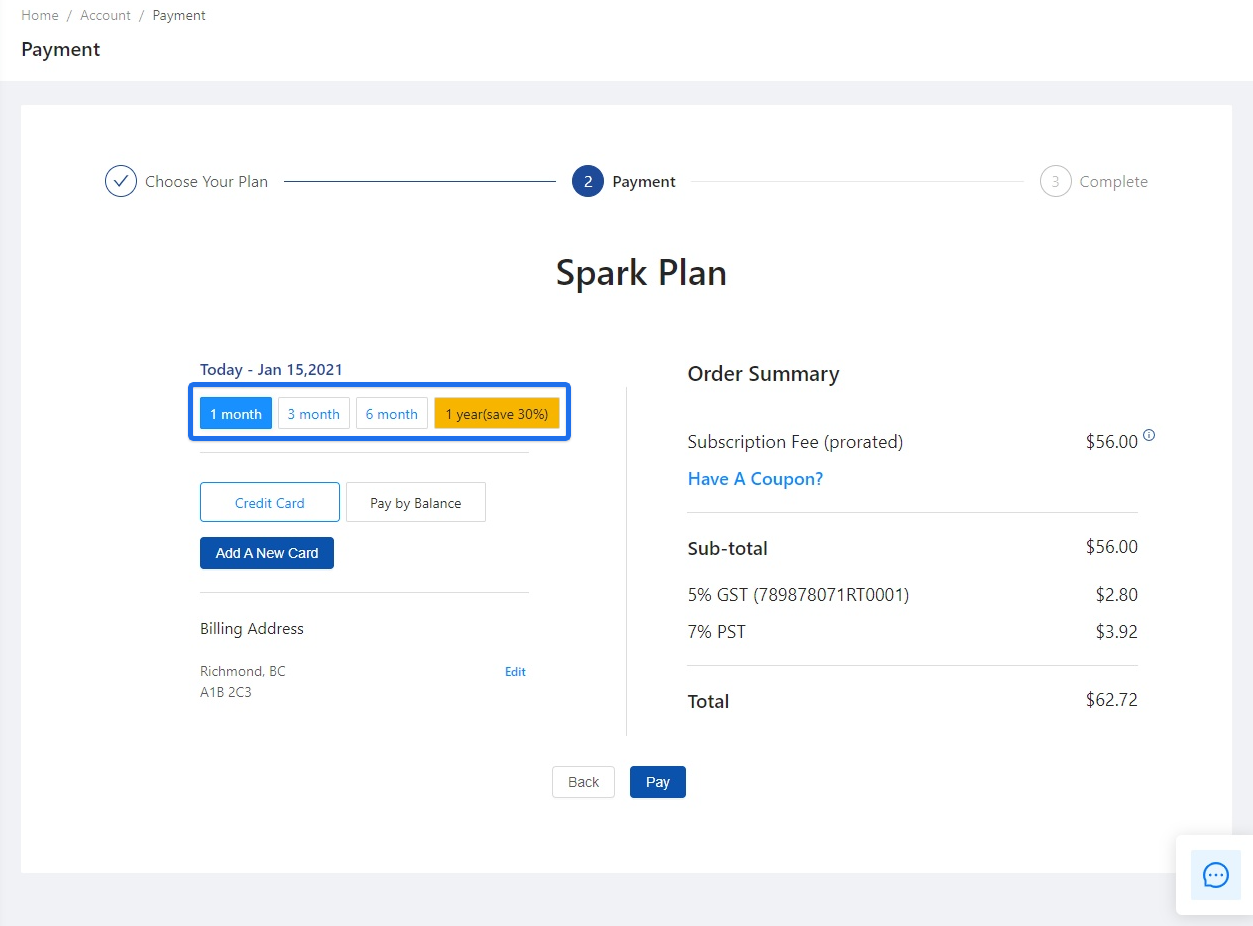
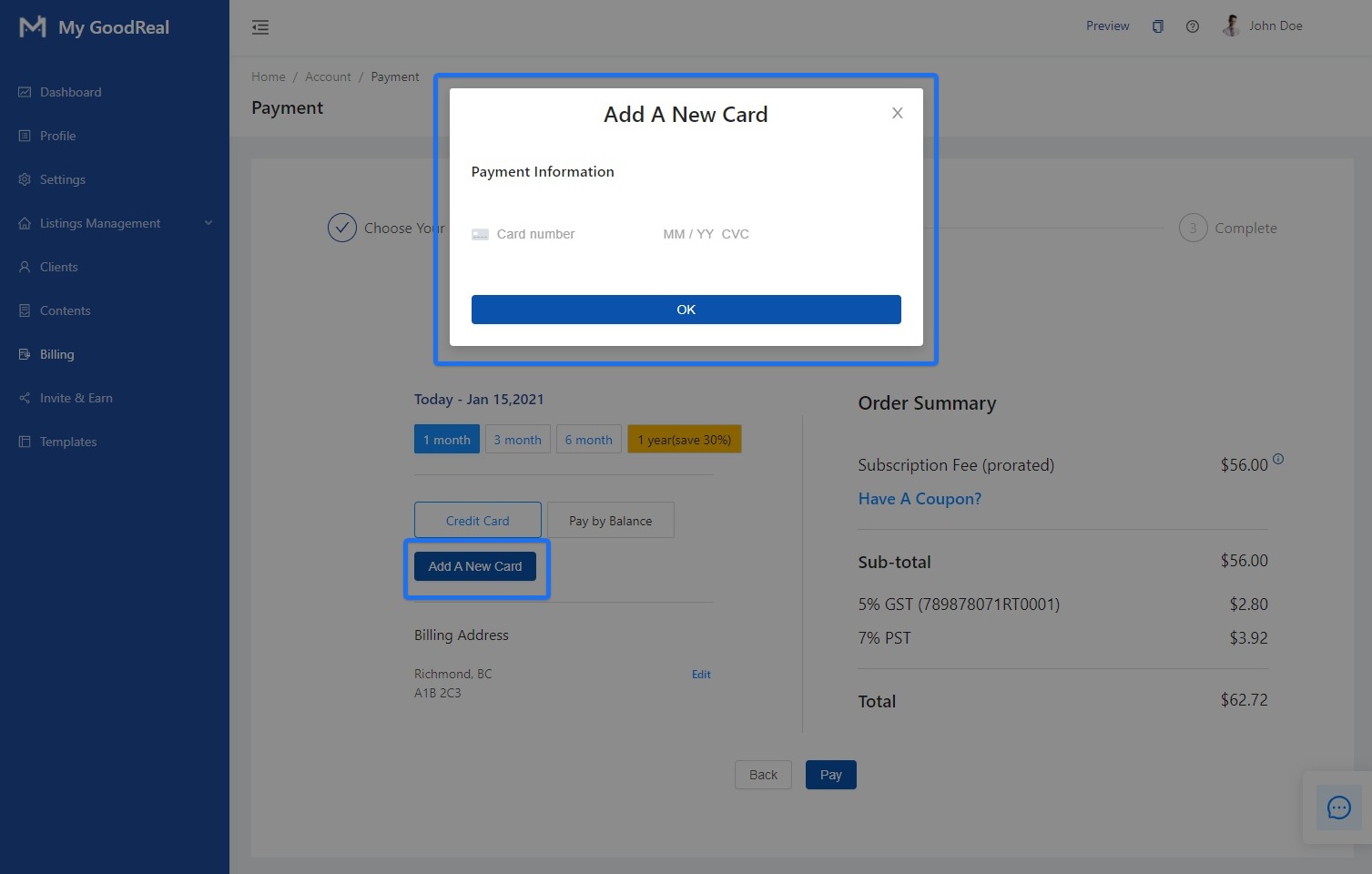
Choose whether to pay monthly (1 month, 3 month, or 6 month) or annually (1 year, save 30%).
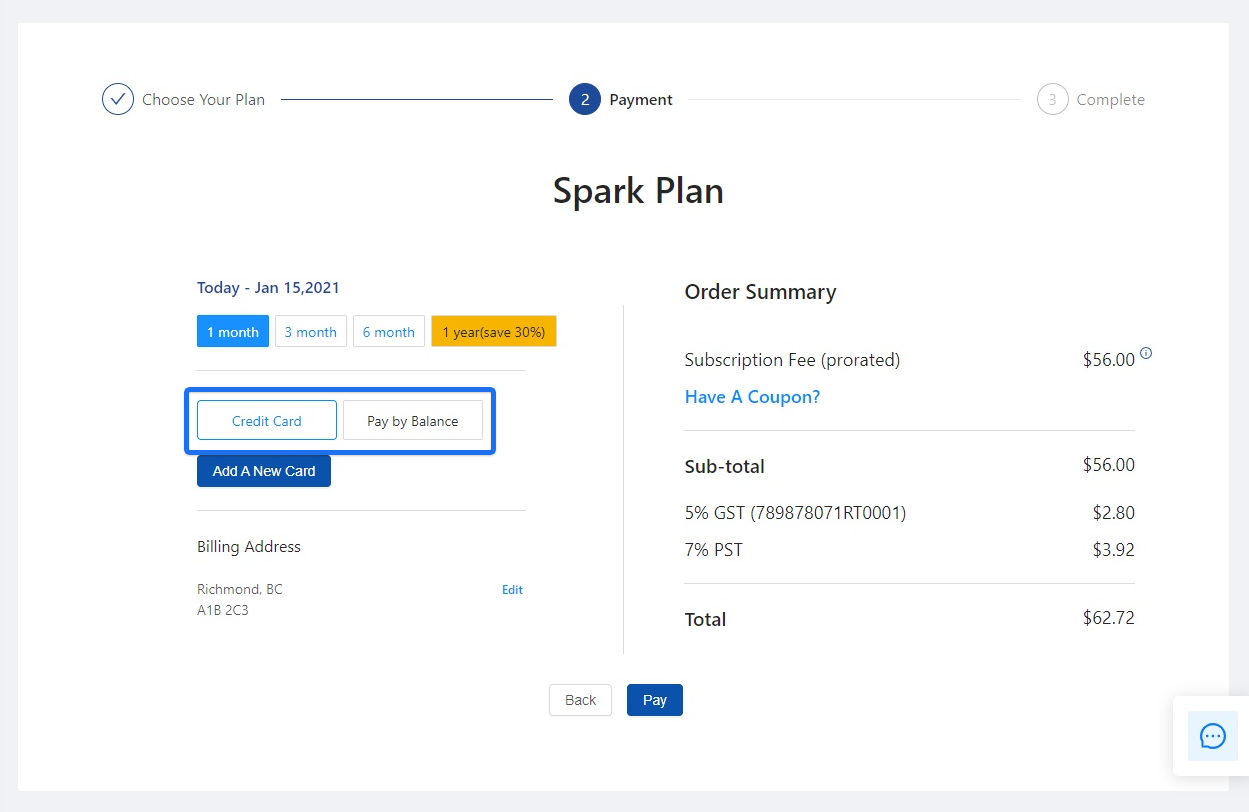
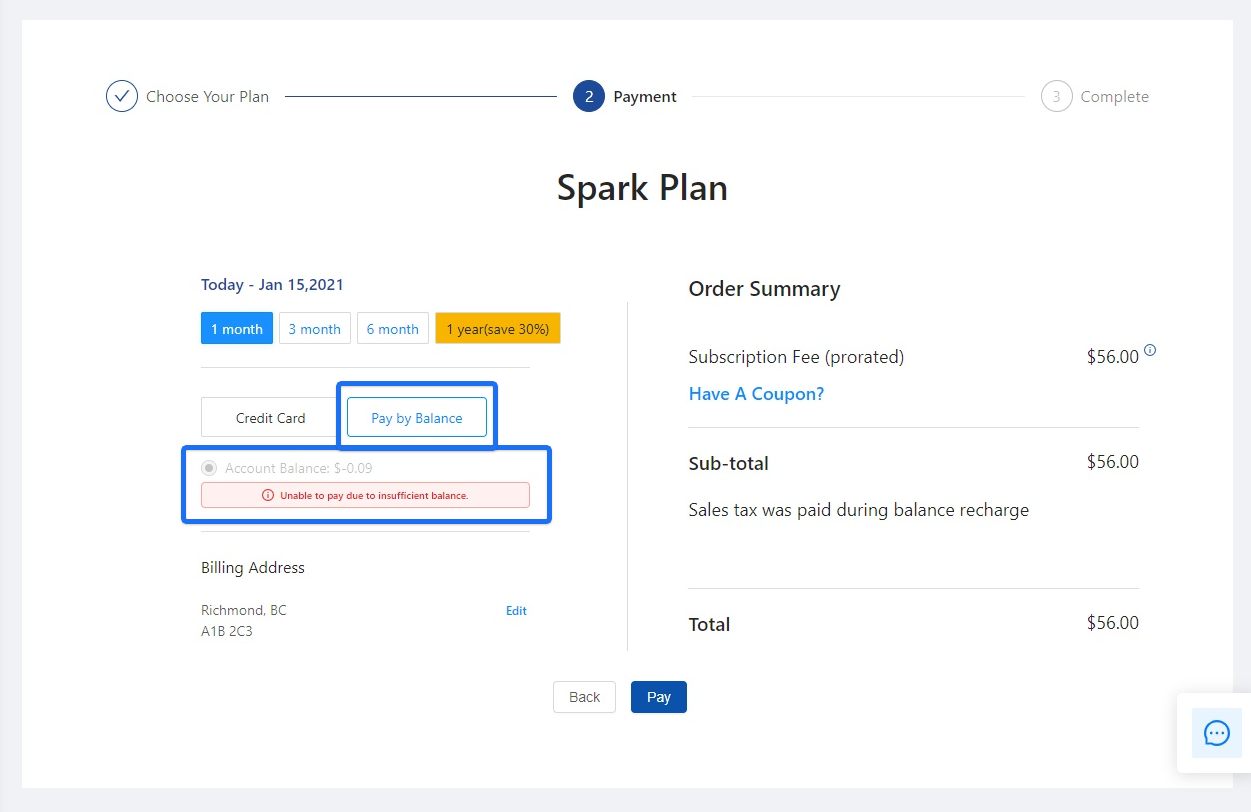
Click to pay by Credit Card or Pay By Balance.
If you wish to pay by Credit Card, click to Add A New Card.
If you wish to Pay by Balance, please make you have sufficient funds; otherwise, you will receive an error message.
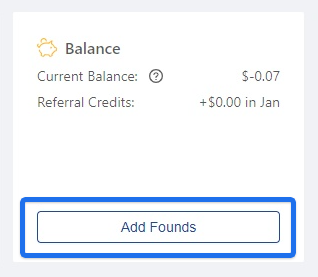
Note: To add more funds to your balance, please go back to the main Billing page in the backend. Under Balance, click Add Founds to add money.
Power Add-Ons
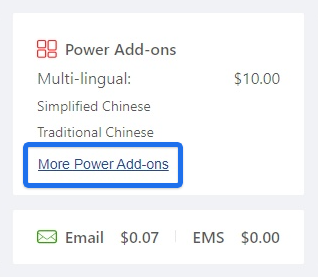
View your balance for Multilingual features (and the list of languages currently supported), Email, and EMS. Click More Power Add-Ons to view a list of services you started.
Others
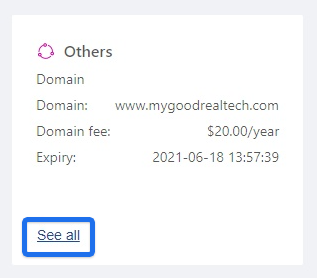
View more information regarding your domain, such as Domain Fee and Expiry date. Click See All to view a list of services you started.
Balance
View your Current Balance, which is your account balance used for prepaid services like emails and SMS messages. It can be used to pay for monthly subscription fees too. You can also view your Referral Credits.
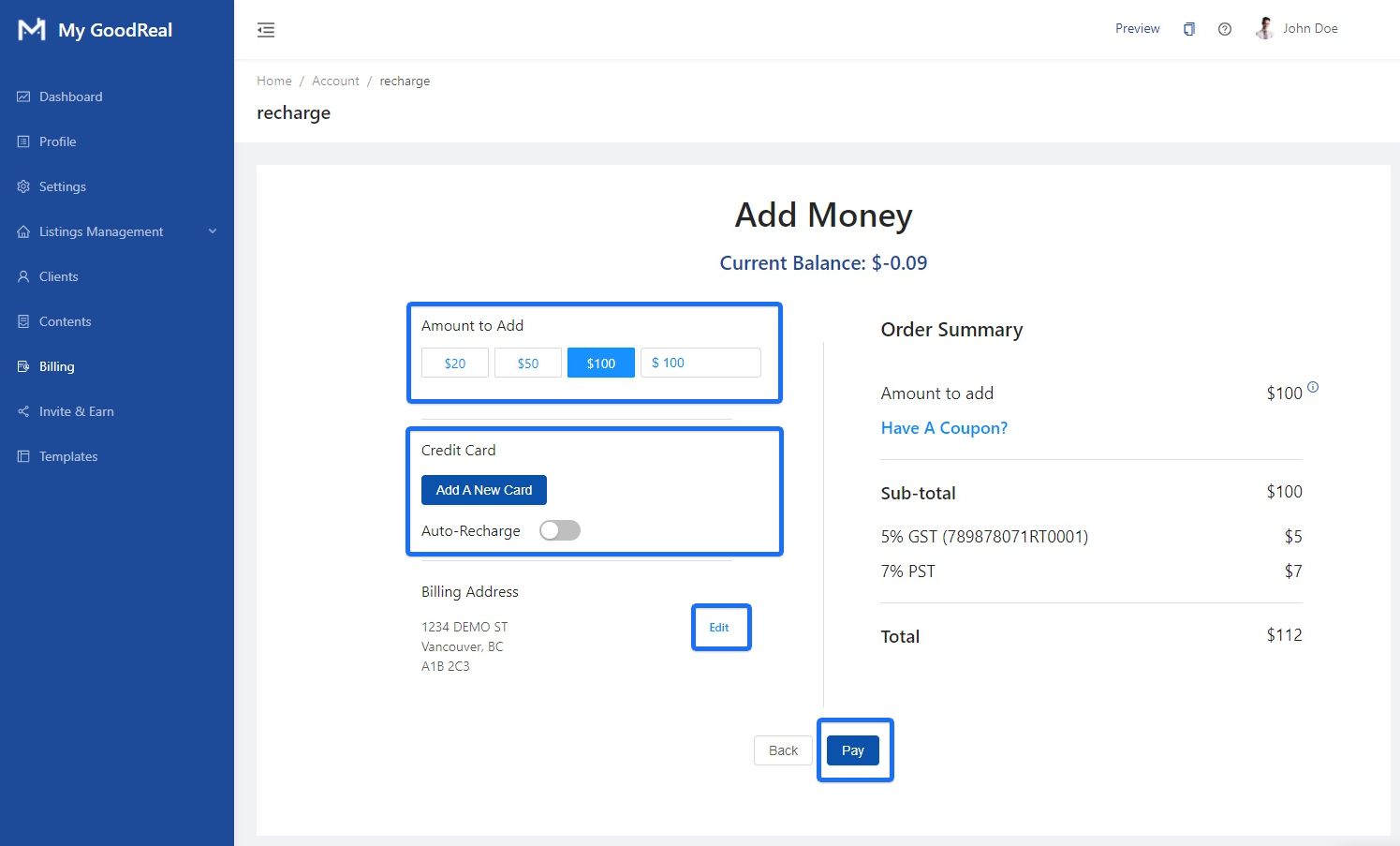
Click Add Founds to Recharge.
To Add Money, choose the Amount to Add: $20, $50, $100, or type in a custom amount. Click to Add A New Card. Click the toggle bar to enable Auto-Recharge. Click Edit to update your Billing Address. Click Pay to finish adding money to your balance.
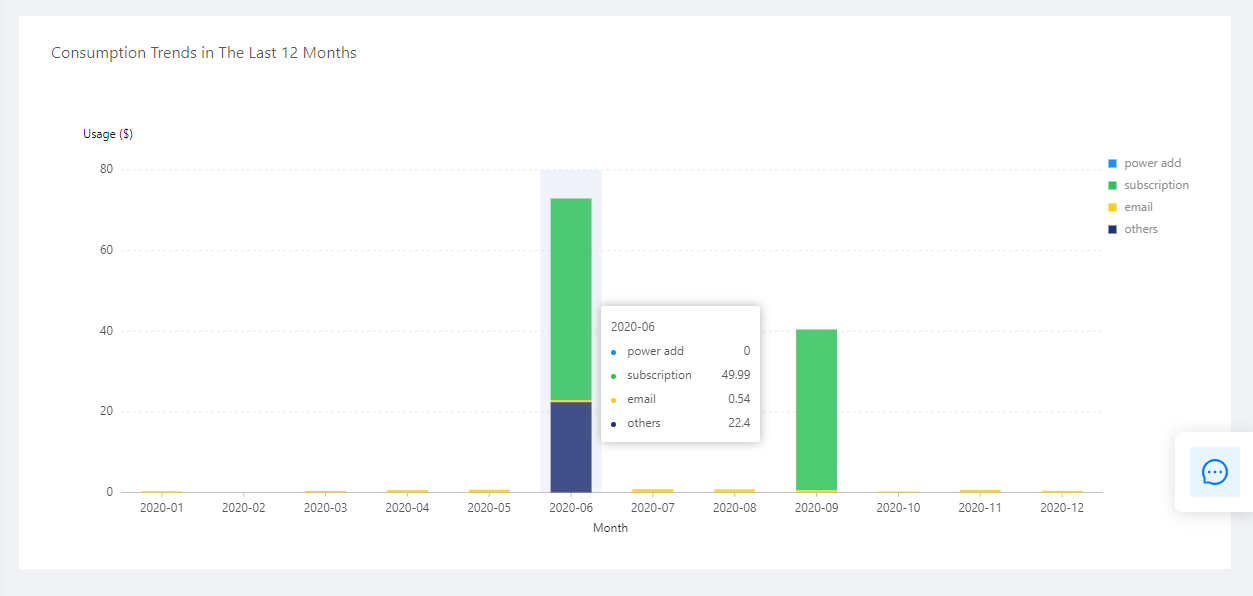
Consumption Trends in the Last 12 Months
Hover over the bar graph to see your Usage ($) for each category: Power Add-Ons, Subscription, Email, and Others.
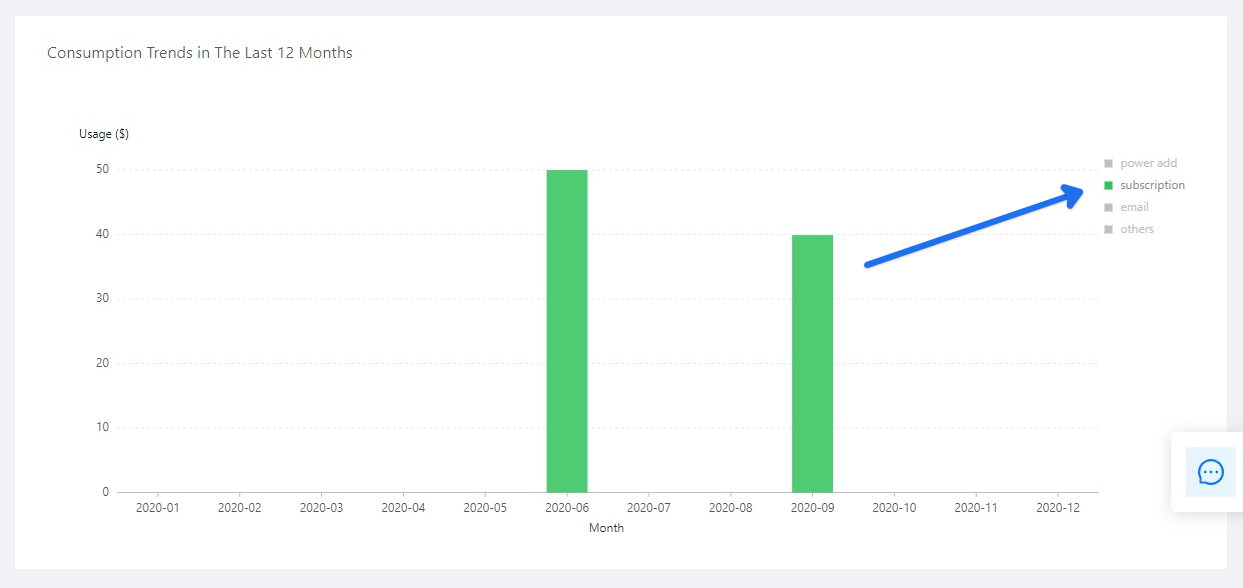
You can also click a category to view the Usage ($) for that specific category, such as your consumption trend for Subscription.

Comments
0 comments
Article is closed for comments.