Notifications
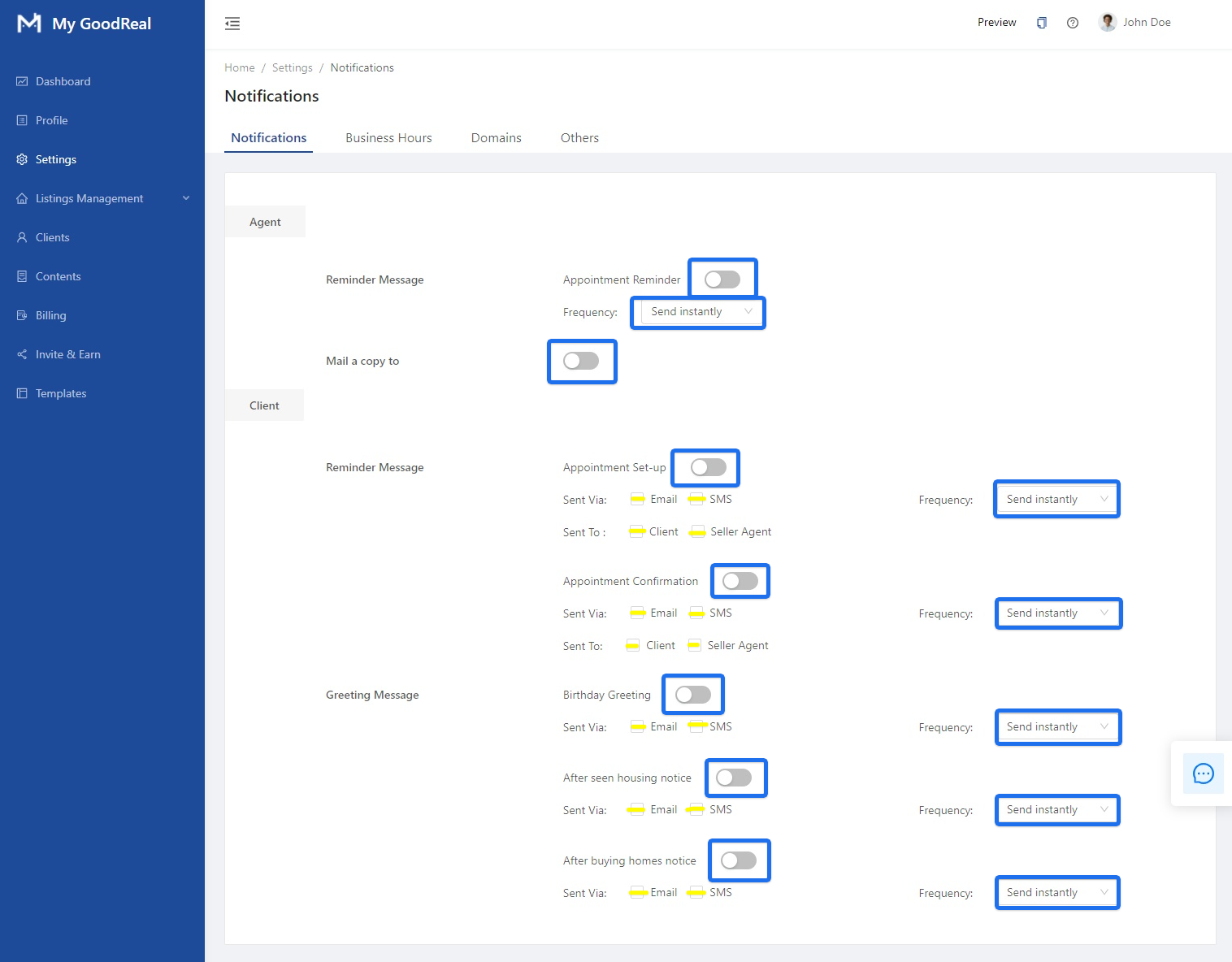
Click on the toggle bars to enable/disable Appointment Reminder, Appointment Set-Up, Appointment Confirmation, Birthday Greeting, After seen housing notice, and After buying homes notice.
Click on the check boxes to choose the Sent Via options: Email or SMS.
Click on the check boxes to choose the Sent To options: Client or Seller Agent.
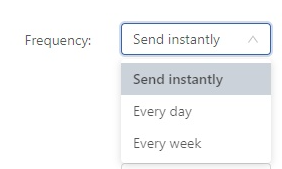
Click on the dropdown menu to choose the Frequency options for notifications:
Send Instantly, Every Day or Every Week.
Business Hours
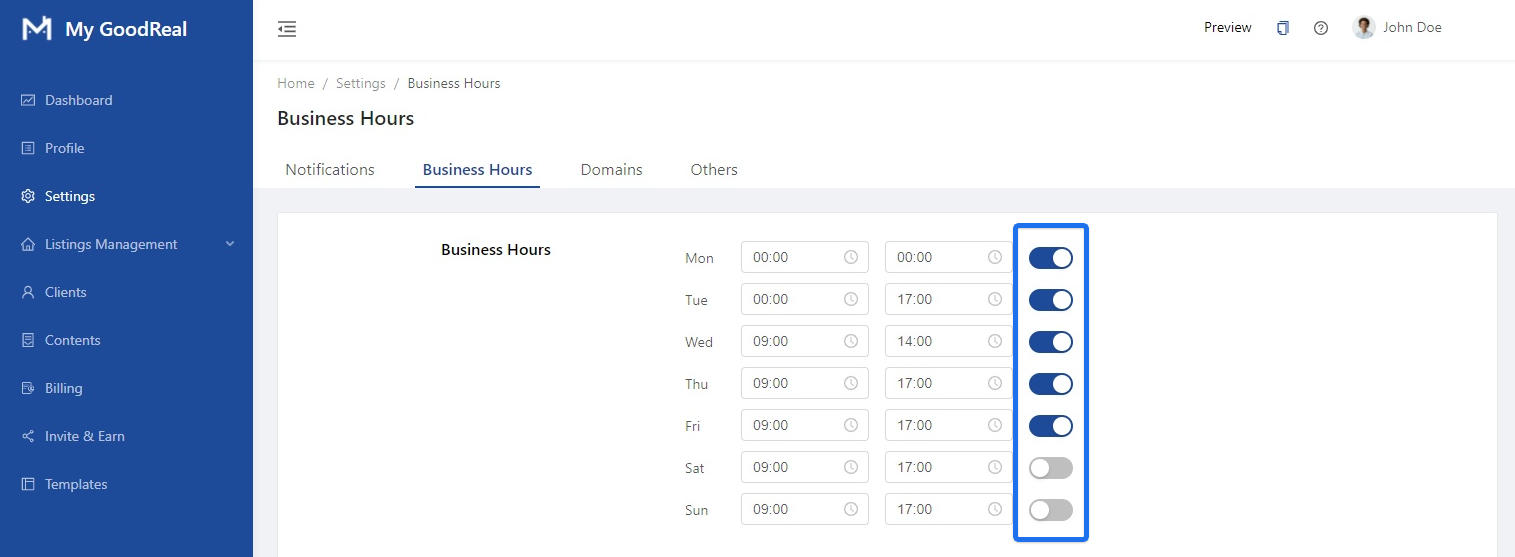
Click on the toggle bar to include / exclude certain days in your business hours of operations.
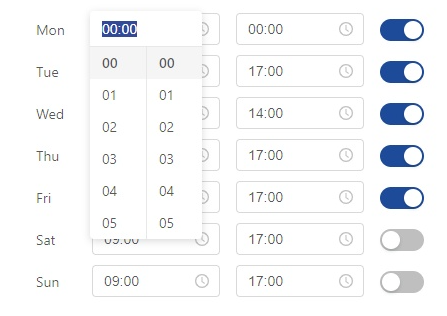
Click on the field directly to choose or type in the time.
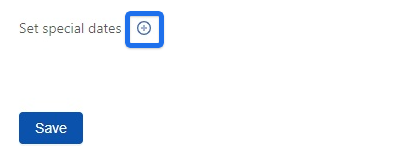
Click on the + icon to set special dates.
Enter the desired information and click Create and then Save.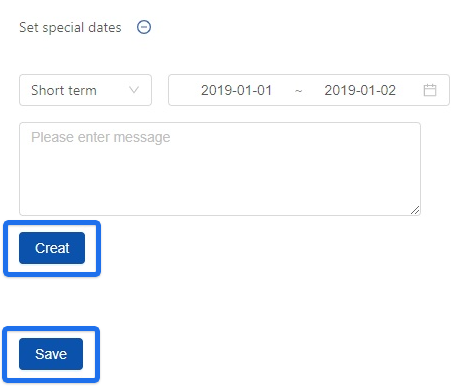
Domains
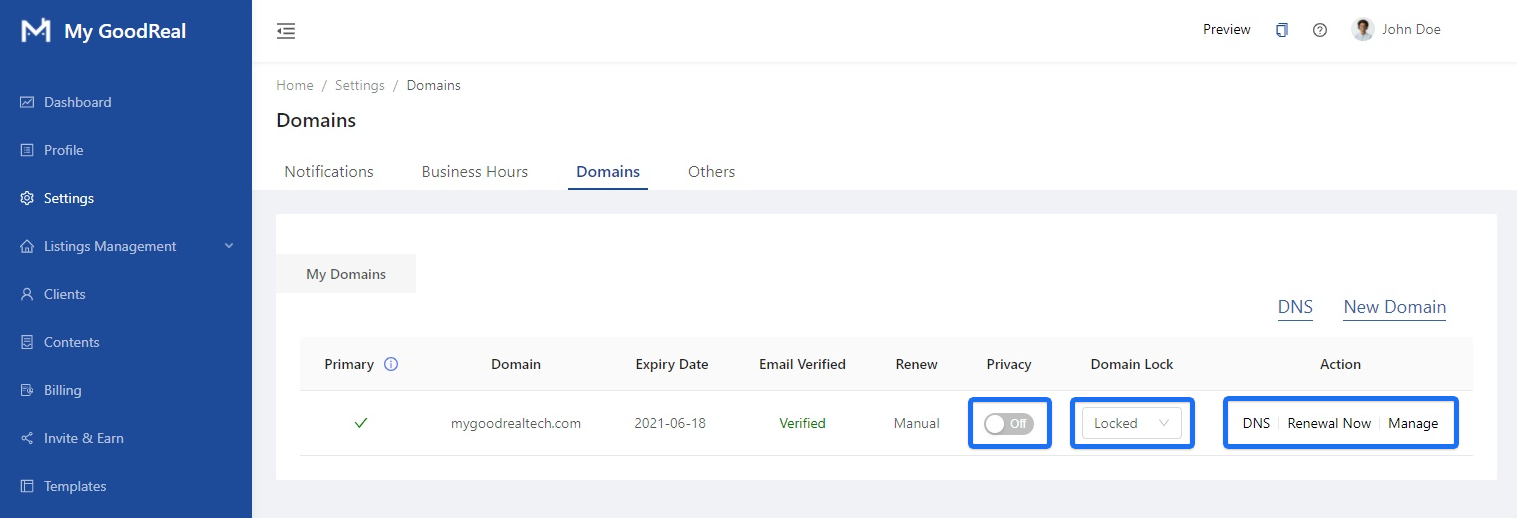
View and manage your domains. Click on the toggle bar to enable/disable Privacy.
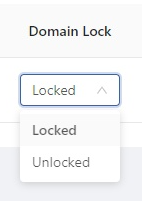
Click the dropdown menu to lock/unlock your domain.
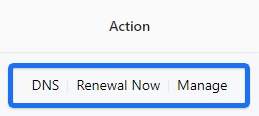
Click on the individual links for perform additional actions.
DNS: Access DNS Management for your domain and Create Record Sets
Renewal Now: Access Buying Domain and Add a Credit Card
Manage: Access Domain Management and Edit Contacts
Others
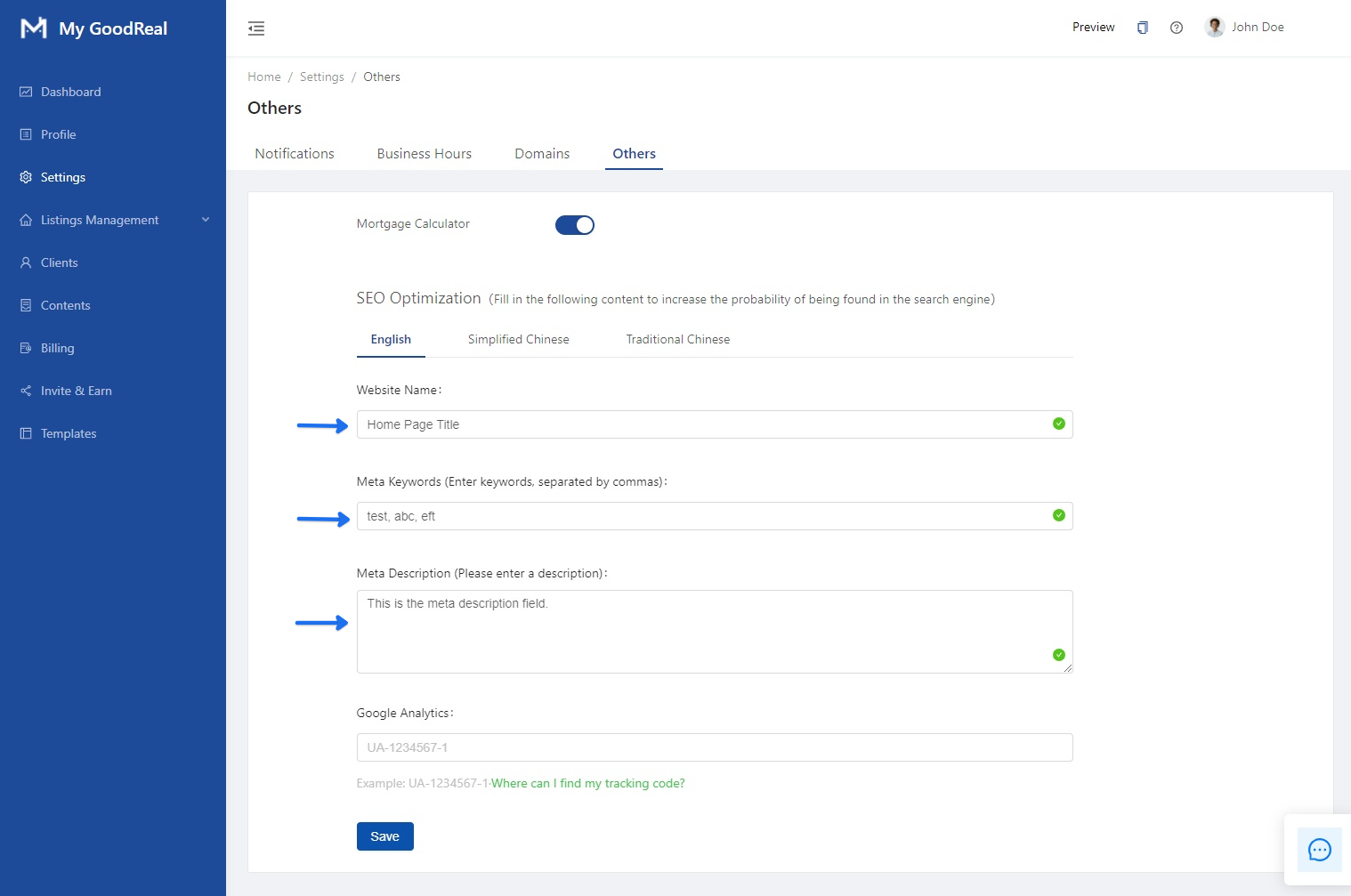
Fill in the following text fields to increase the probability of being found in the search engine.
Click on the toggle bar to to enable/disable the Mortgage Calculator.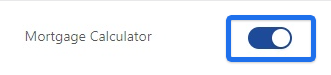
Click Simplified Chinese or Traditional Chinese to fill in additional SEO content.
If applicable, enter your Google Analytics Tracking Code in the text field.



Comments
0 comments
Article is closed for comments.