
On any given page in the backend, you can access the Quick Start widget to set up your website in just 10 minutes! Click Start Now.
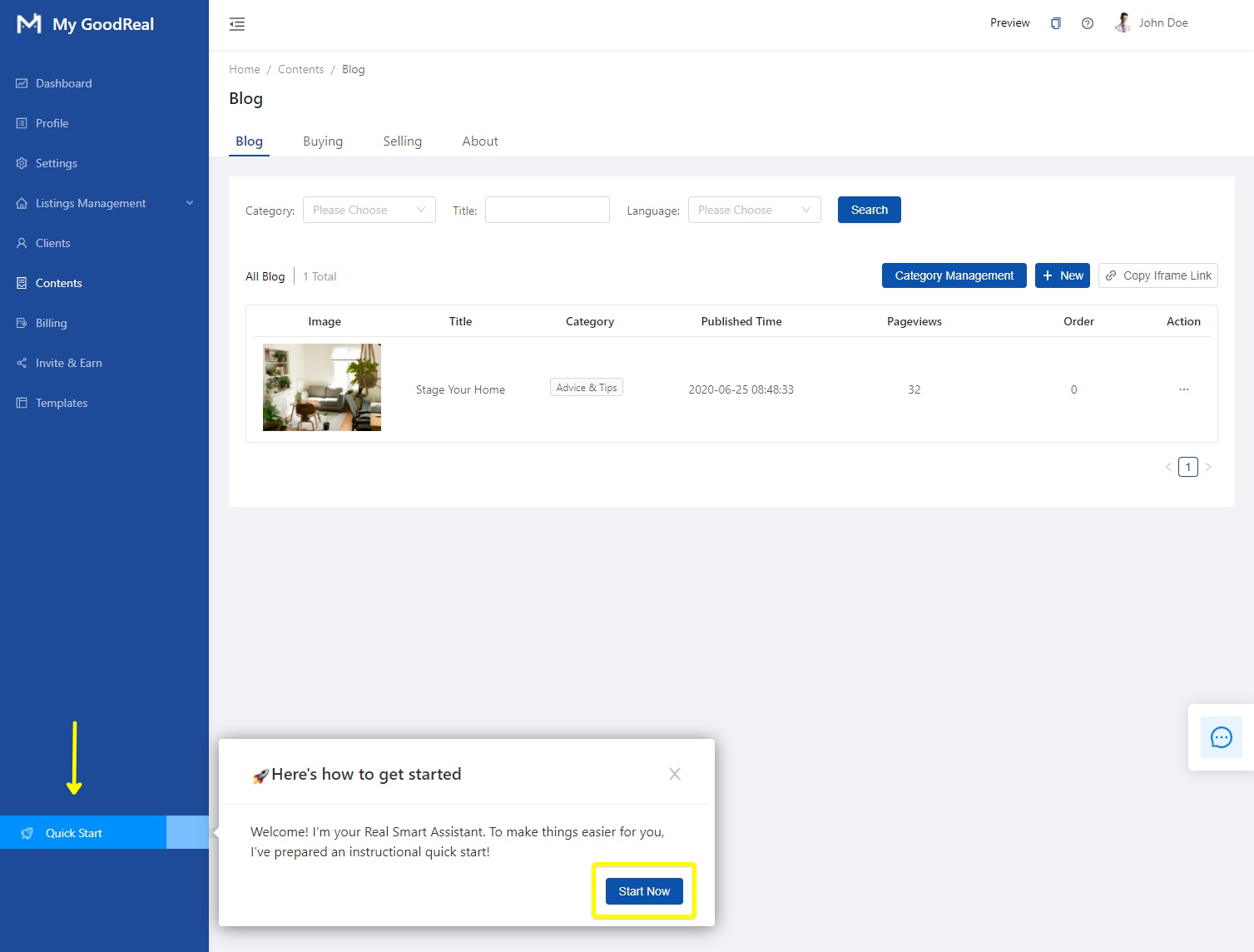
1. Sync MLS® Data
If you know your Agent ID, enter your REALTOR® Agent ID in the text box and click Search.
If you do not know your Agent ID, enter your MLS® ID for any listings that you listed or co-listed. Click Search.
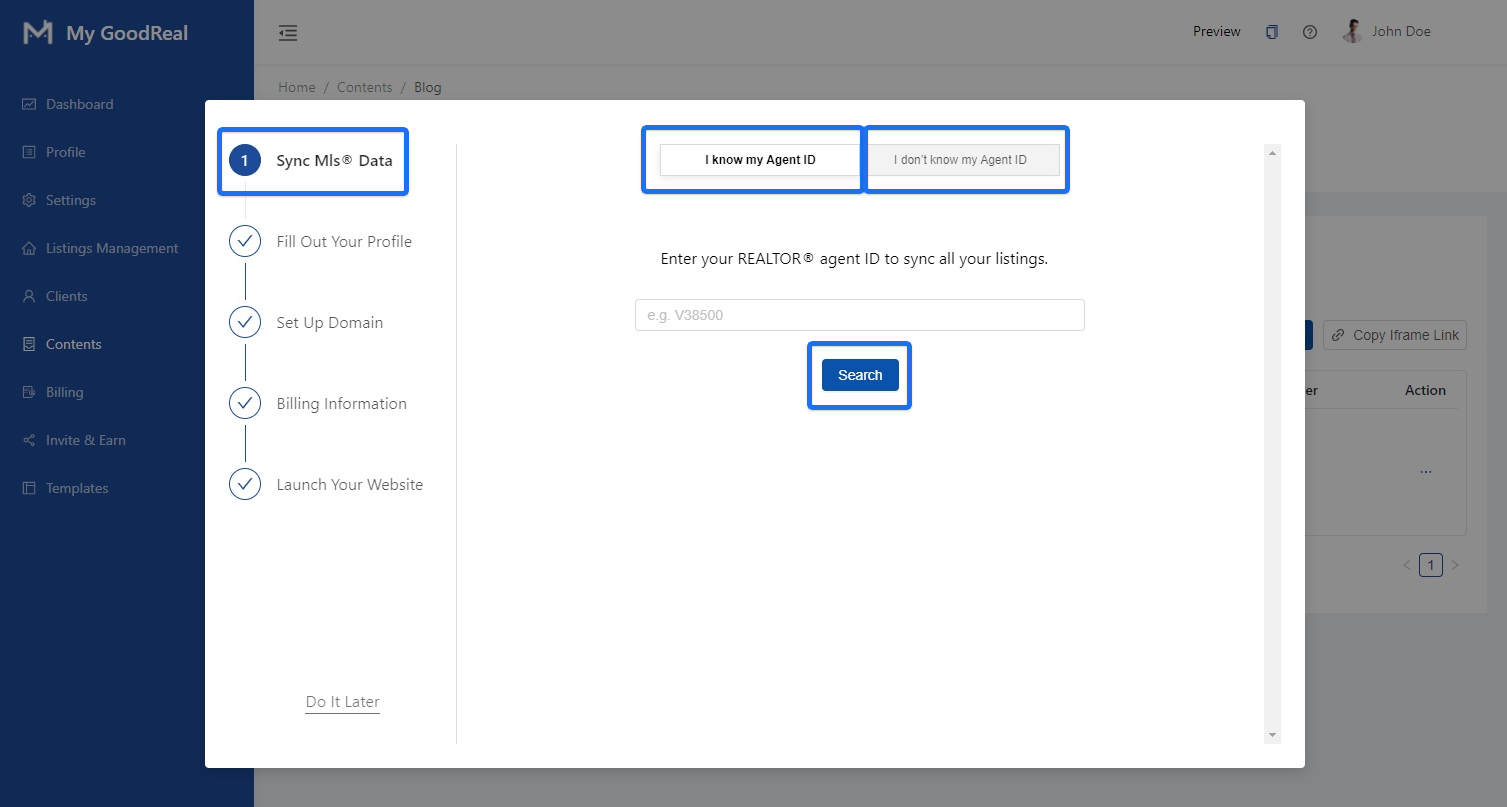
2. Fill Out Your Profile
Fill out your information and click Save & Go to Next Step to continue setting up.
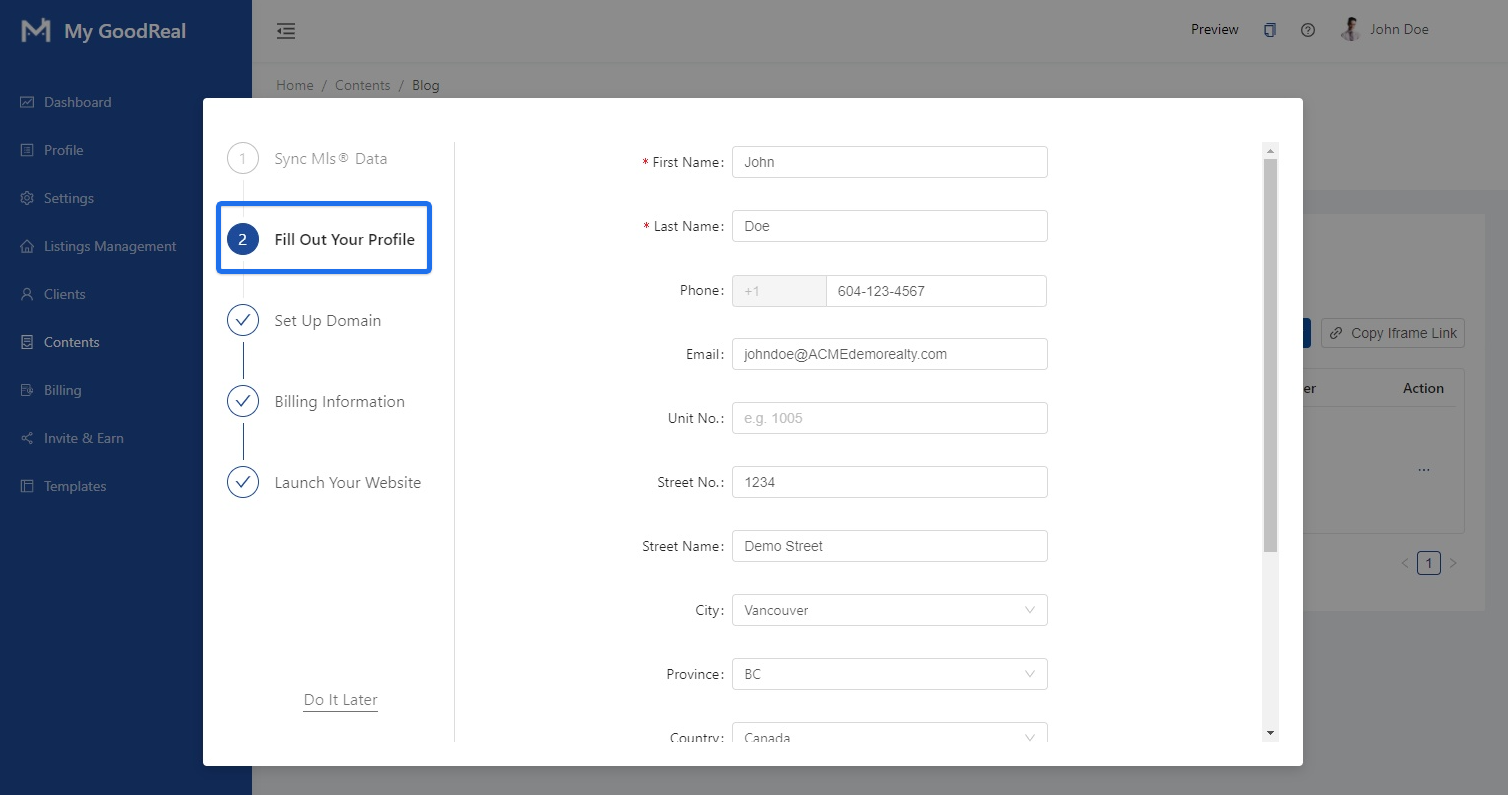
3. Set Up Domain
If you do not own a domain, click I want to buy a domain. Type in your desired domain and click Search to determine its availability.
Note: Domain names can contain letters and digits, and cannot be empty or longer than 63 characters.
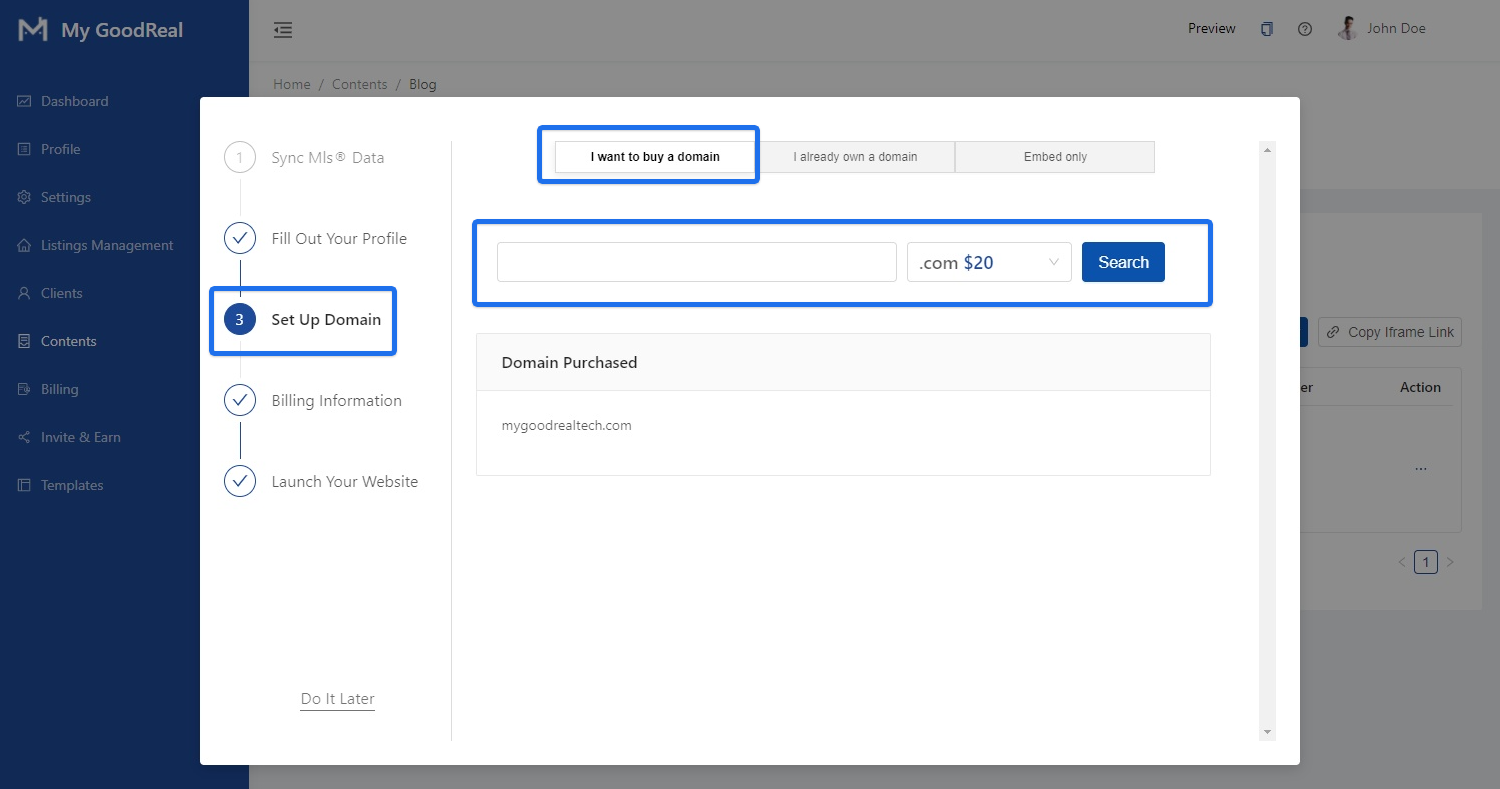
If the domain you entered is not available, you may select one from our list of Recommendations.
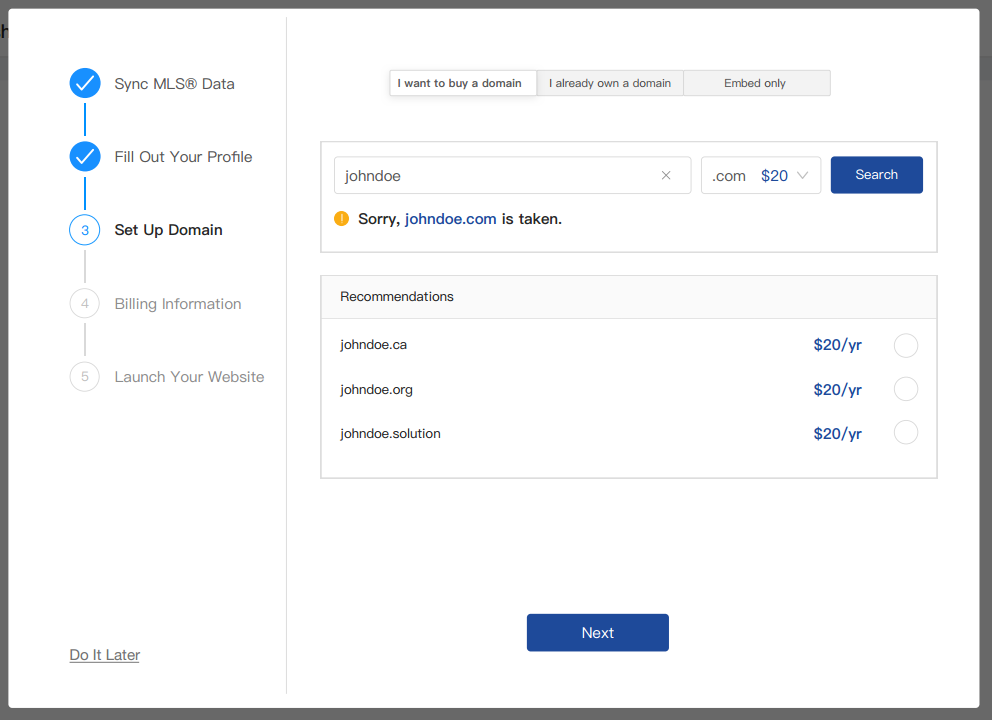
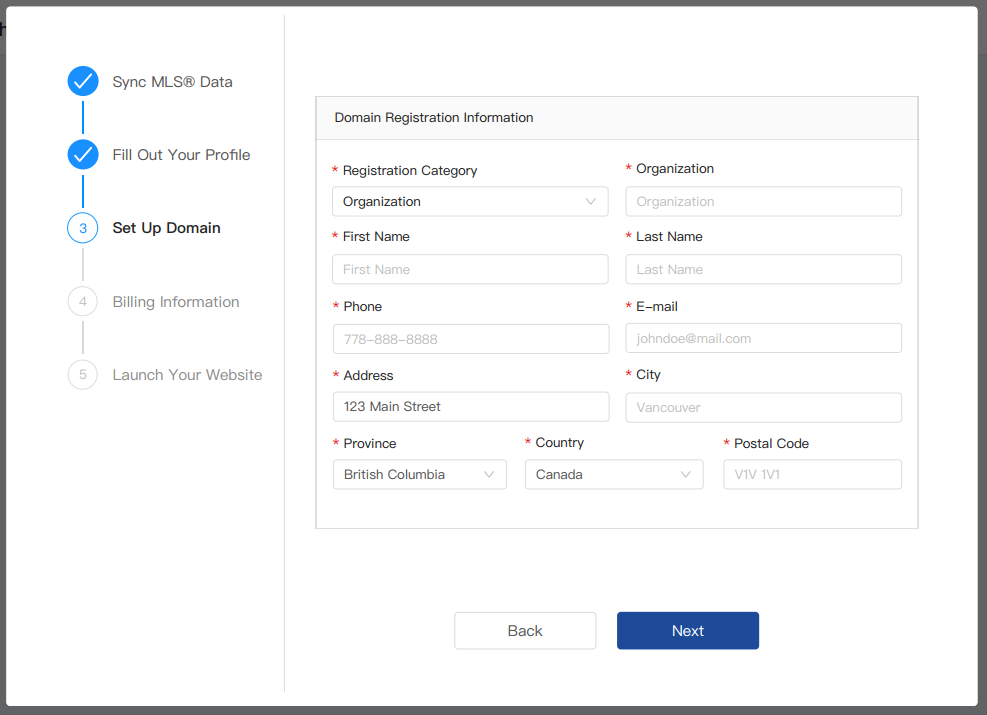
Once you’ve selected an available domain, click Next to fill in all Domain Registration Information.
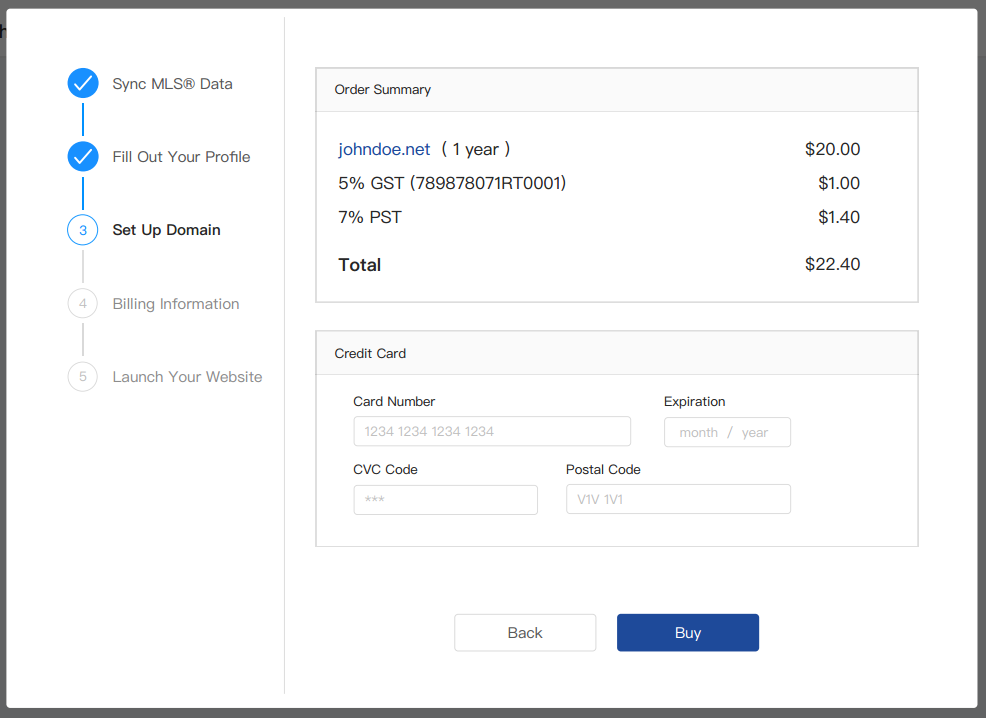
An Order Summary with your domain name and order total will appear. Enter your Credit Card information. A verification link will be sent to your email with prompts to finish your registration process.
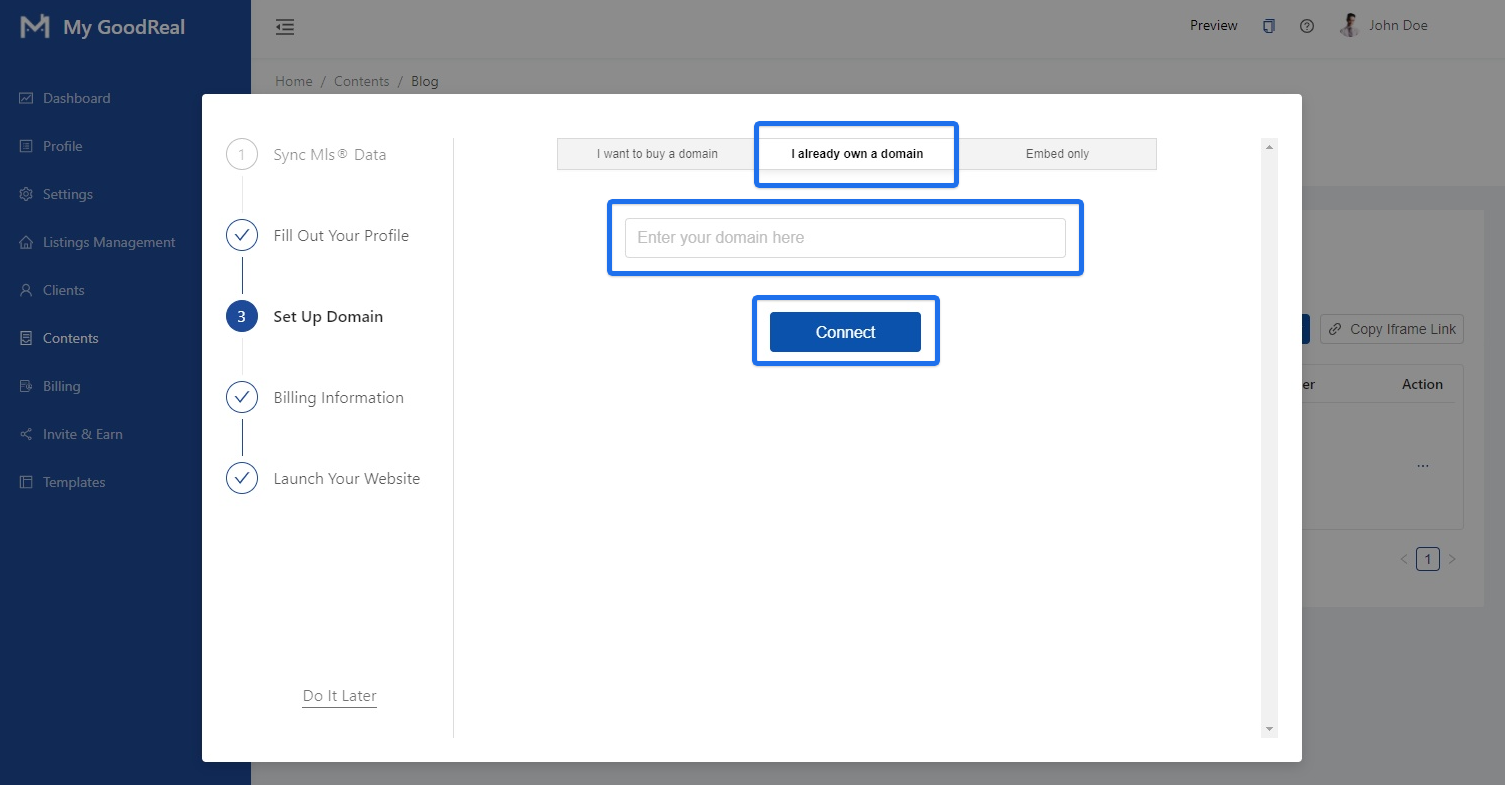
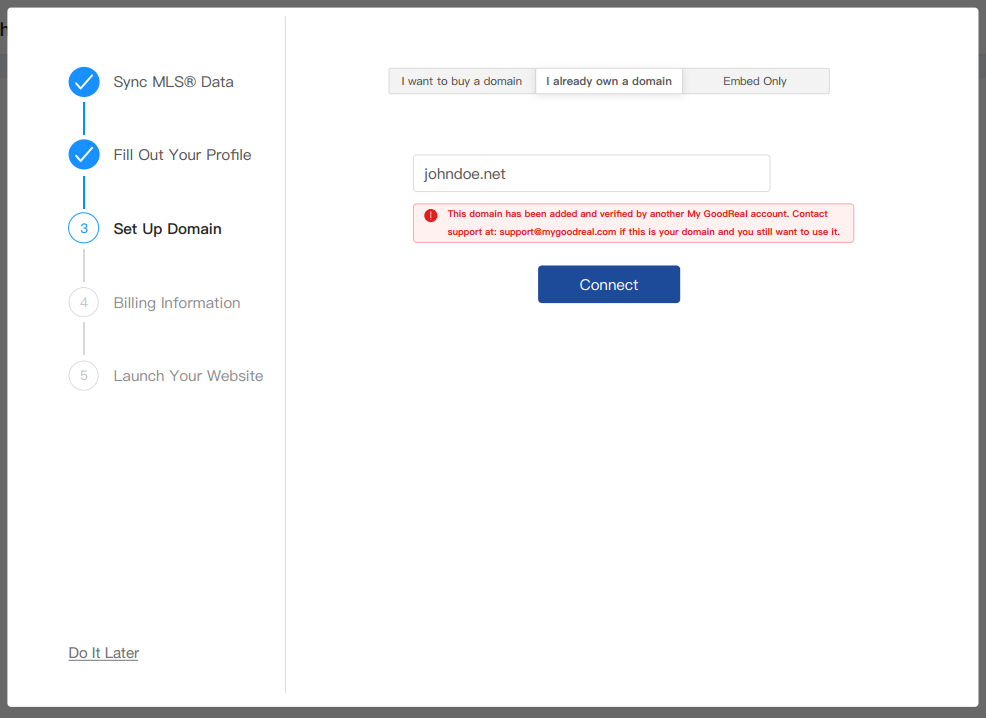
If you already own a domain, click I already own a domain and enter your domain in the form field. Click Connect.
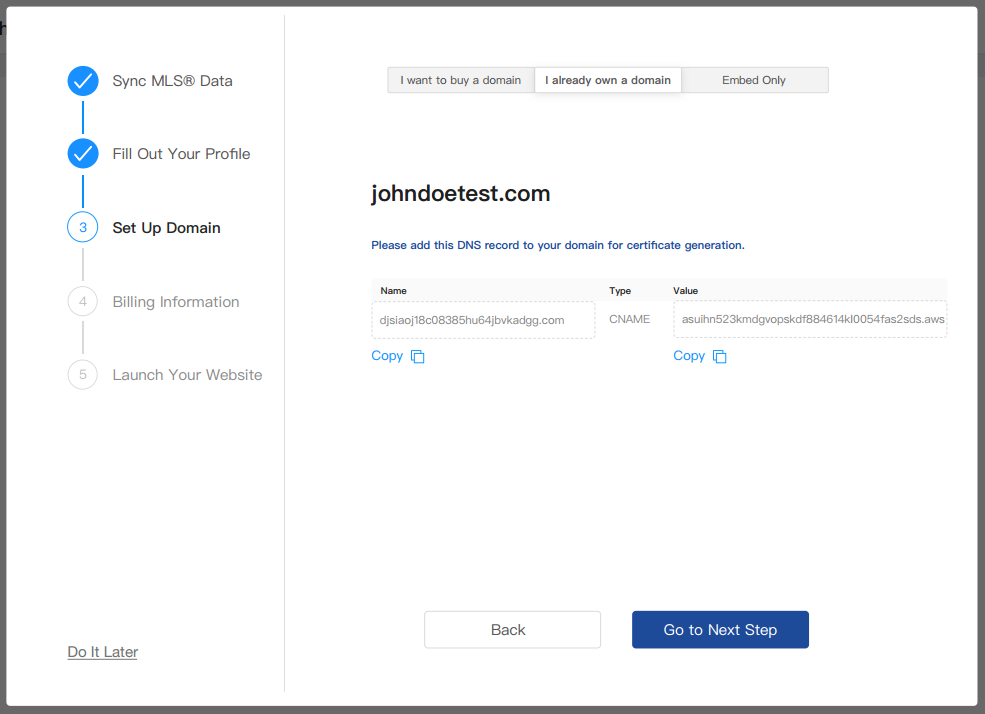
To continue with your existing domain, choose one of the two binding options: DNS or CNAME.
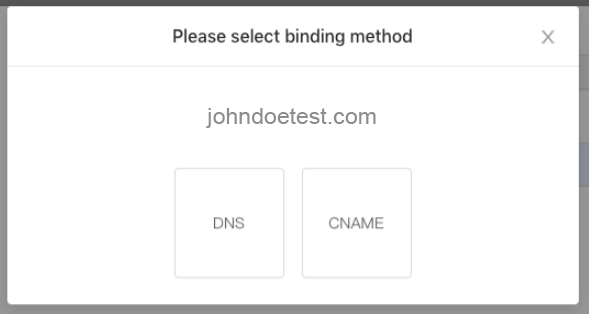
Follow the instructions to either add the DNS record or CNAME record for your domain.
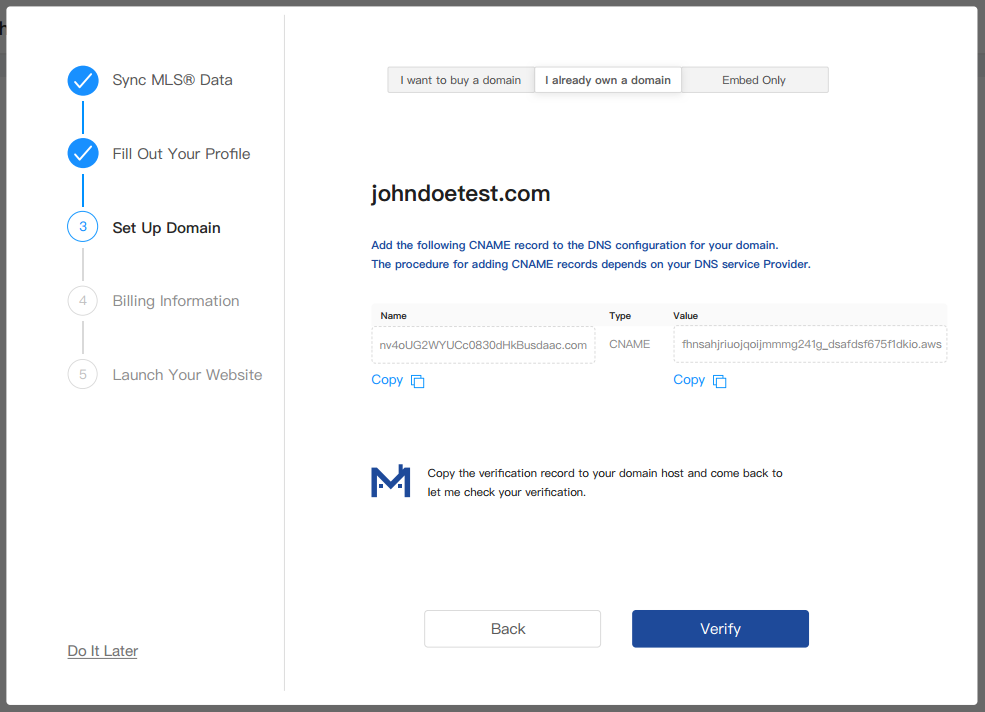
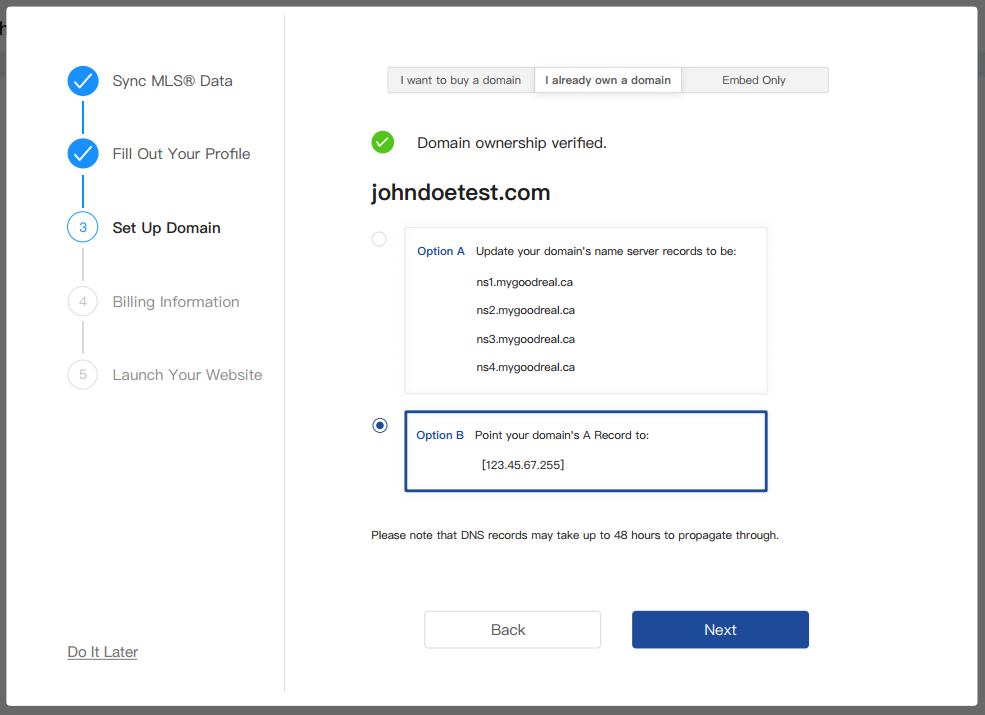
Once your domain ownership has been verified, select either:
Option A: Update your domain’s name server records
Option B: Point your domain’s A record to the specified IP address.
If you entered a domain that has been added and verified by another My GoodReal account, please contact support at: support@mygoodreal.com.
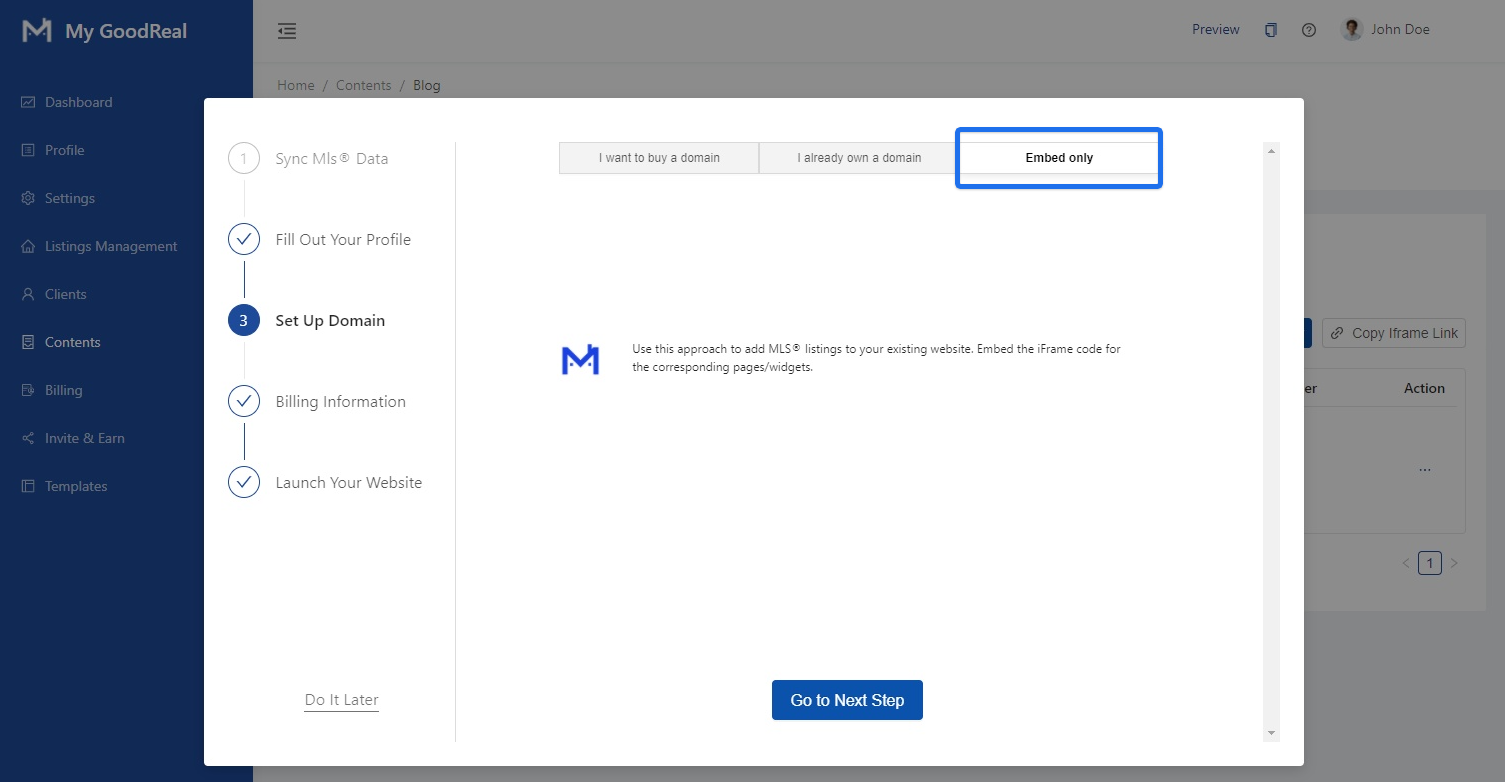
Alternatively, click Embed only if you want to add MLS® listings to your existing website. Embed the iFrame code for the corresponding pages/widgets.
4. Billing Information
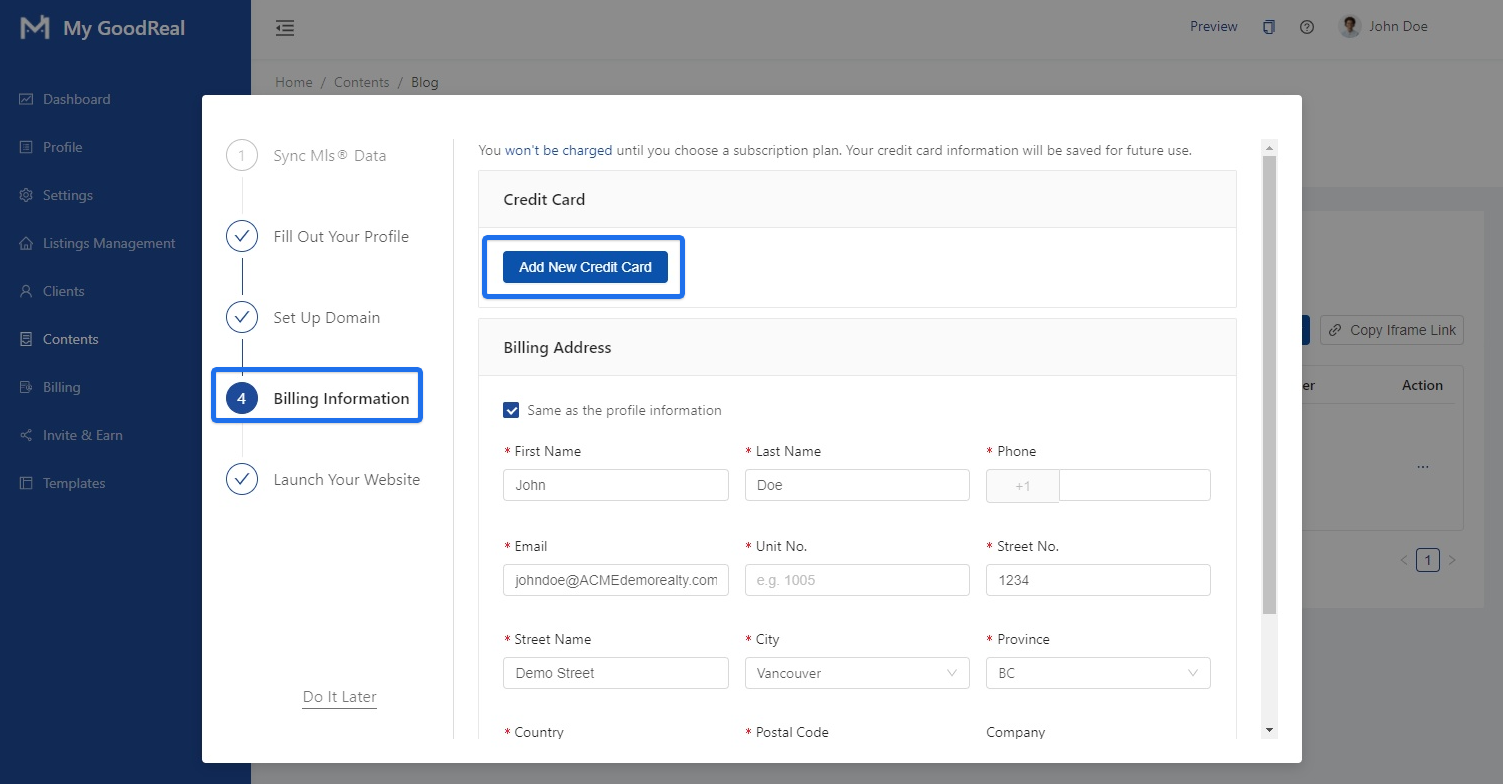
Click Add New Credit Card to enter your payment information.
Note: You won’t be charged until you choose a subscription plan. Your credit card information will be saved for future used.
Fill in the required information under Billing Address or check the box if “Same as the profile information”.
5. Launch Your Website
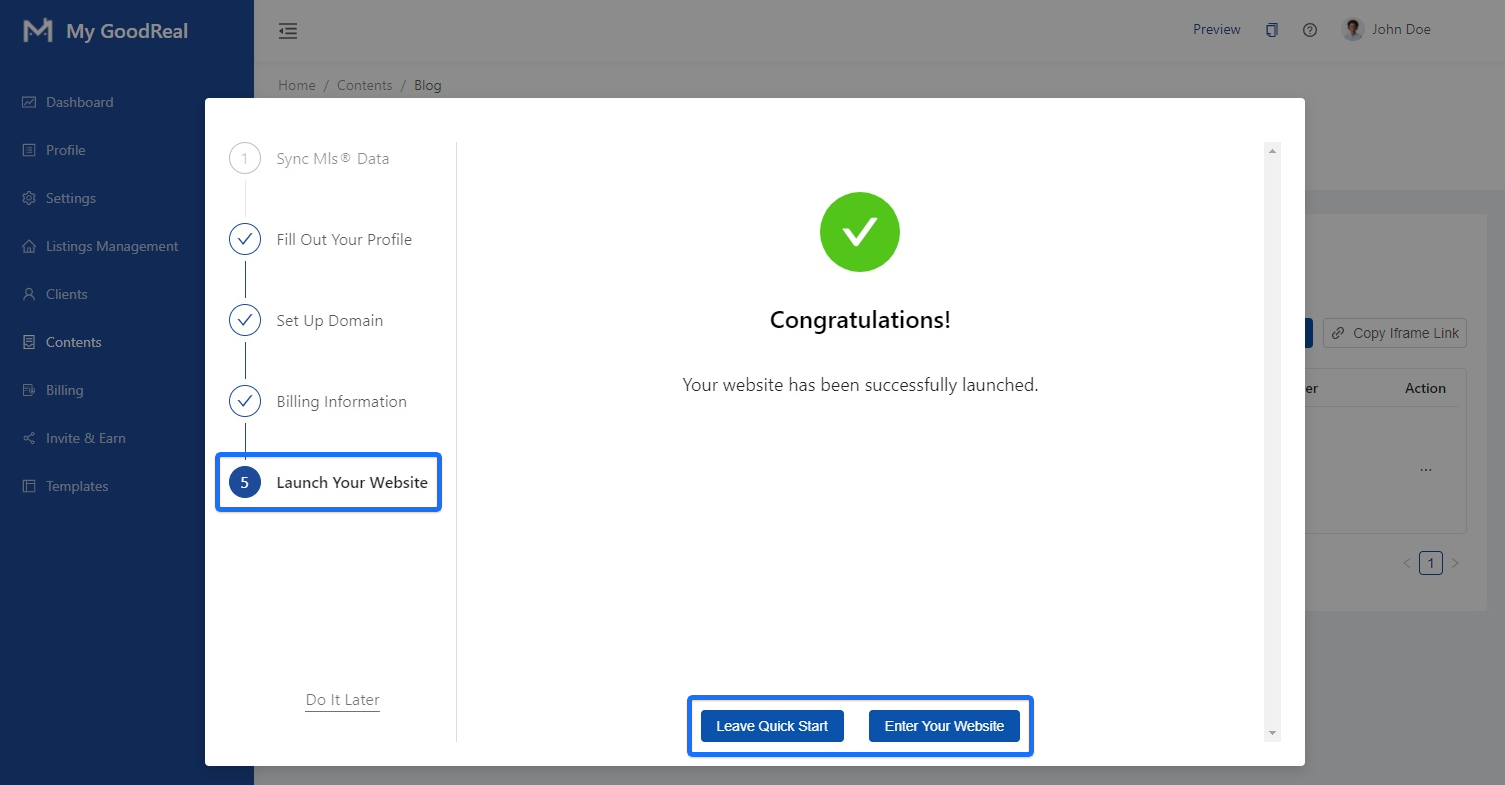
Congratulations! Your website has been successfully launched! You can click Leave Quick Start to continue navigating the My GoodReal backend. Or, click Enter your Website to view / make edits to your website.
Comments
0 comments
Article is closed for comments.