
To access the message hub, click on a link under Messages in your Client List.
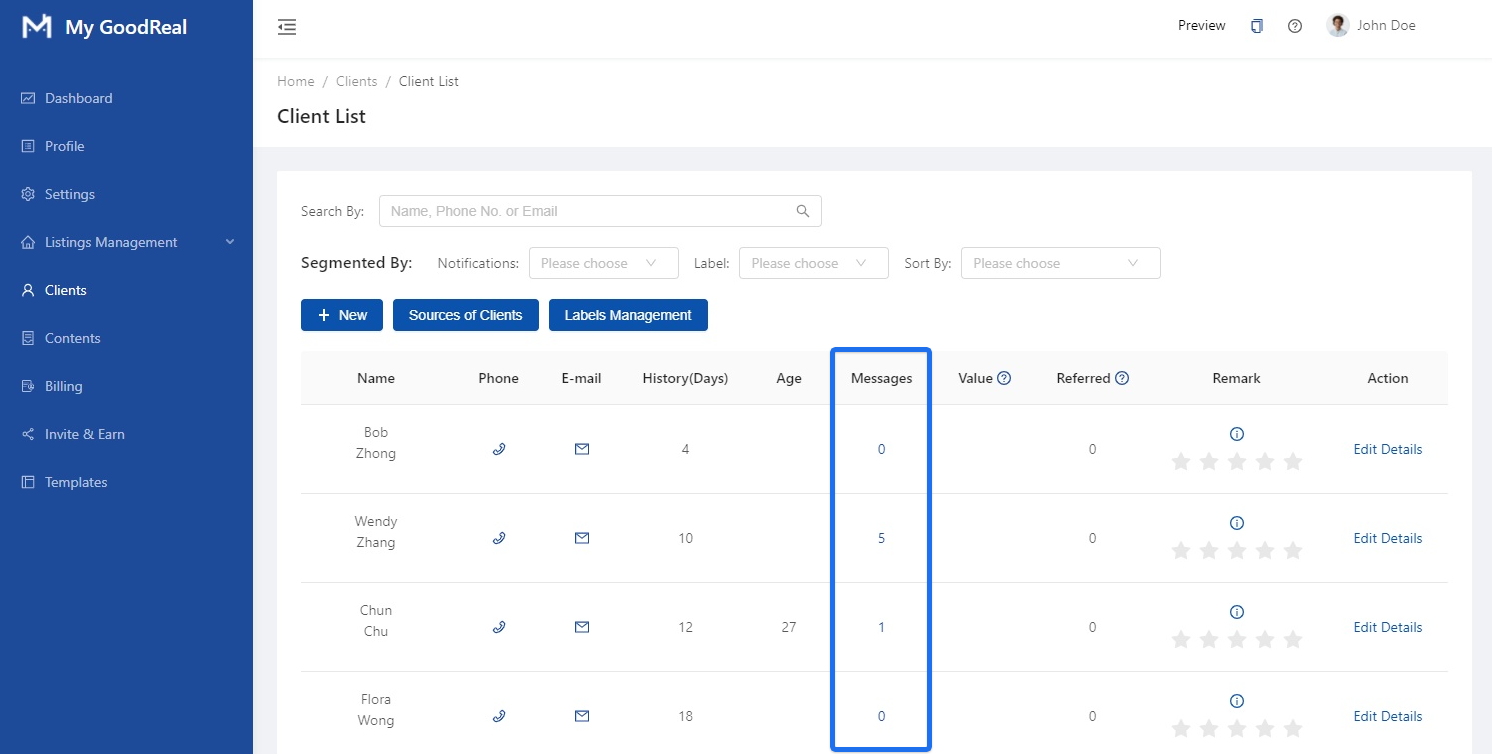
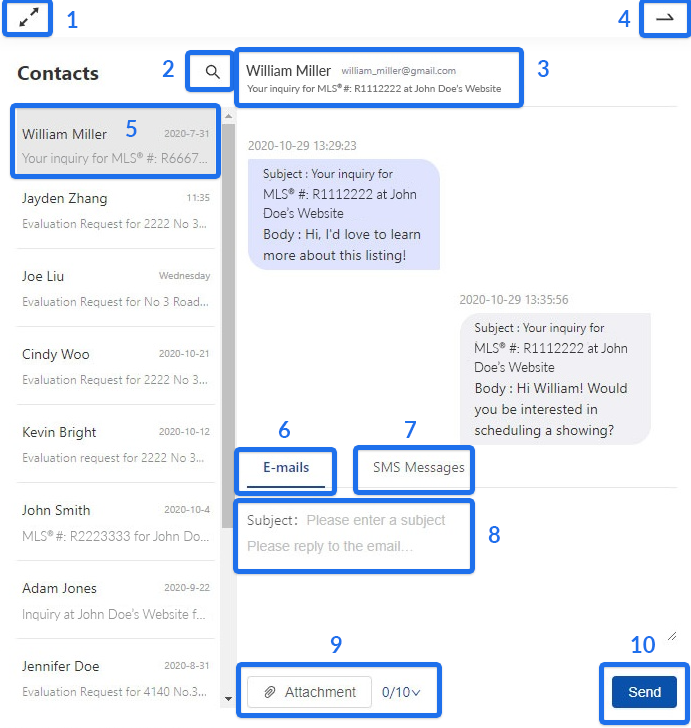
A collapsible chat widget will appear with all your messages with your clients.
- Close Dialog: Click to enlarge the chat window, then click again to zoom out.
- Search: Click to search messages with your client quickly.
- User Information and Email Subject: Your client’s name, email, and phone number will appear here. The subject will show if you receive E-mail messages, but will not for SMS messages.
- Close Dialog: Click to close the chat window.
- Selected Message: The current conversation with your client is in view.
- Send E-Mails: Click to send E-mails.
- Send SMS Messages. Click to send SMS Messages.
- Subject and Message: Enter the subject and your reply to the message for either E-mails or SMS Messages.
- Attachment: Upload files (limit to 10 files) to your message. Move the mouse to 0/10 to display the uploaded attachments or delete them.
- Click Send.
Comments
0 comments
Article is closed for comments.