
The predefined list categorizes MLS® listings into different groups based on shared criteria and allows realtors to save search conditions. Realtors can share saved predefined lists with their clients and embed saved predefined list links onto any website.
An example of a residential predefined list:
- As a buyer realtor, a customer needs a 2-bedroom condo listing in Vancouver for under $700,000.
1. To set up a predefined list, log in to the My GoodReal account > dashboard
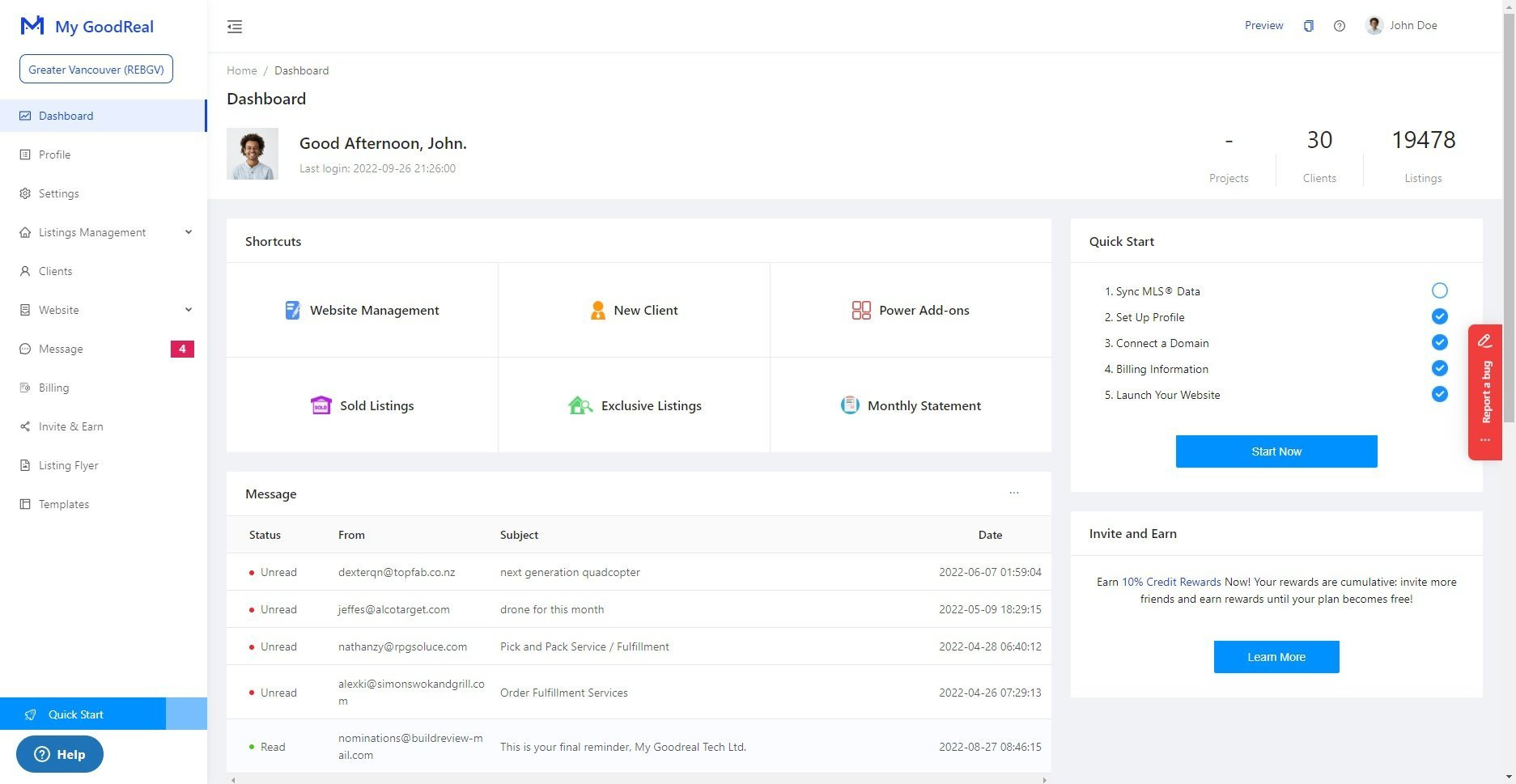
2. Once you are on the dashboard page, choose Listings Management > Residential Listings > MLS® Listings > Predefined Lists
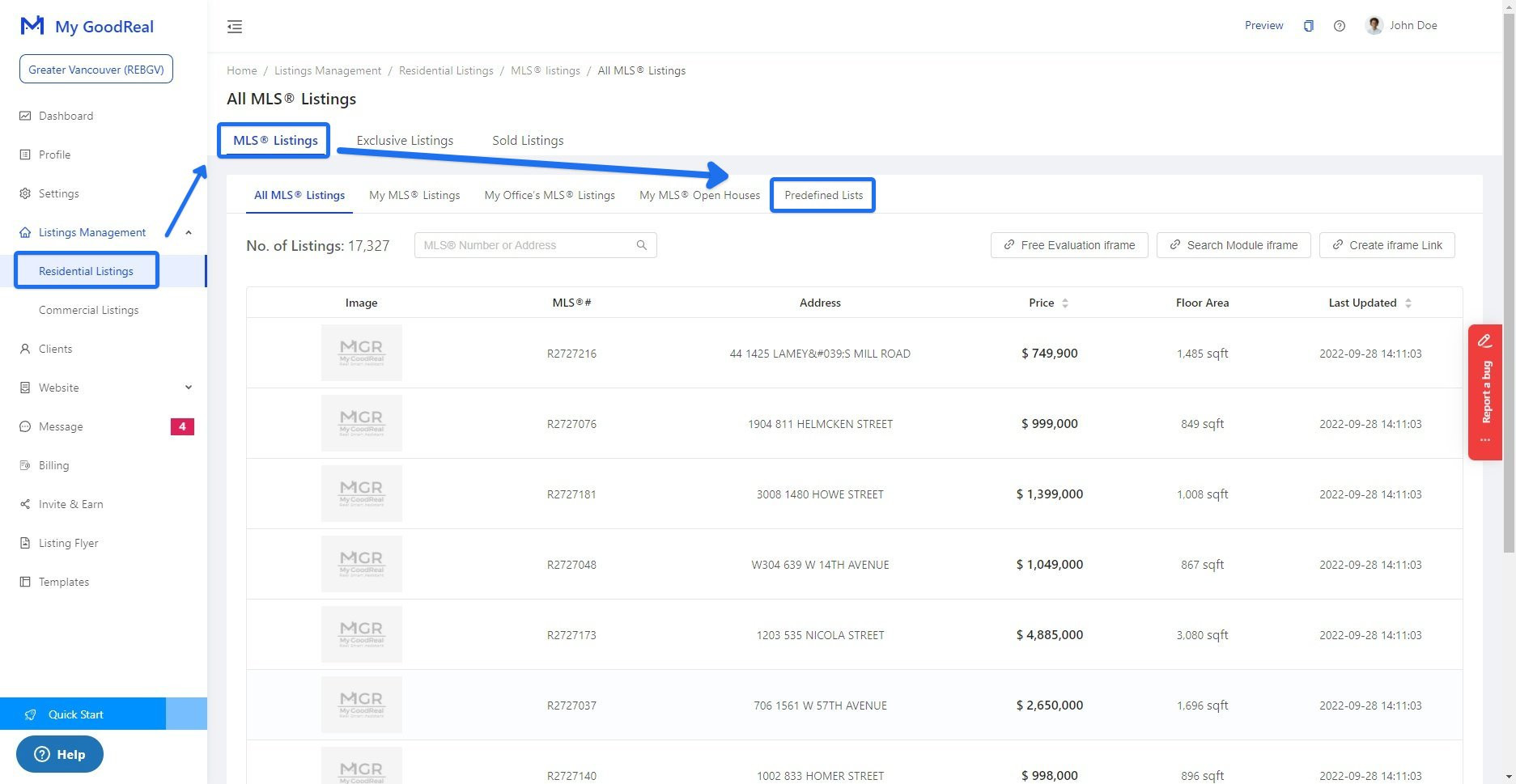
3. On the predefined list page, click New Predefined List to create a list
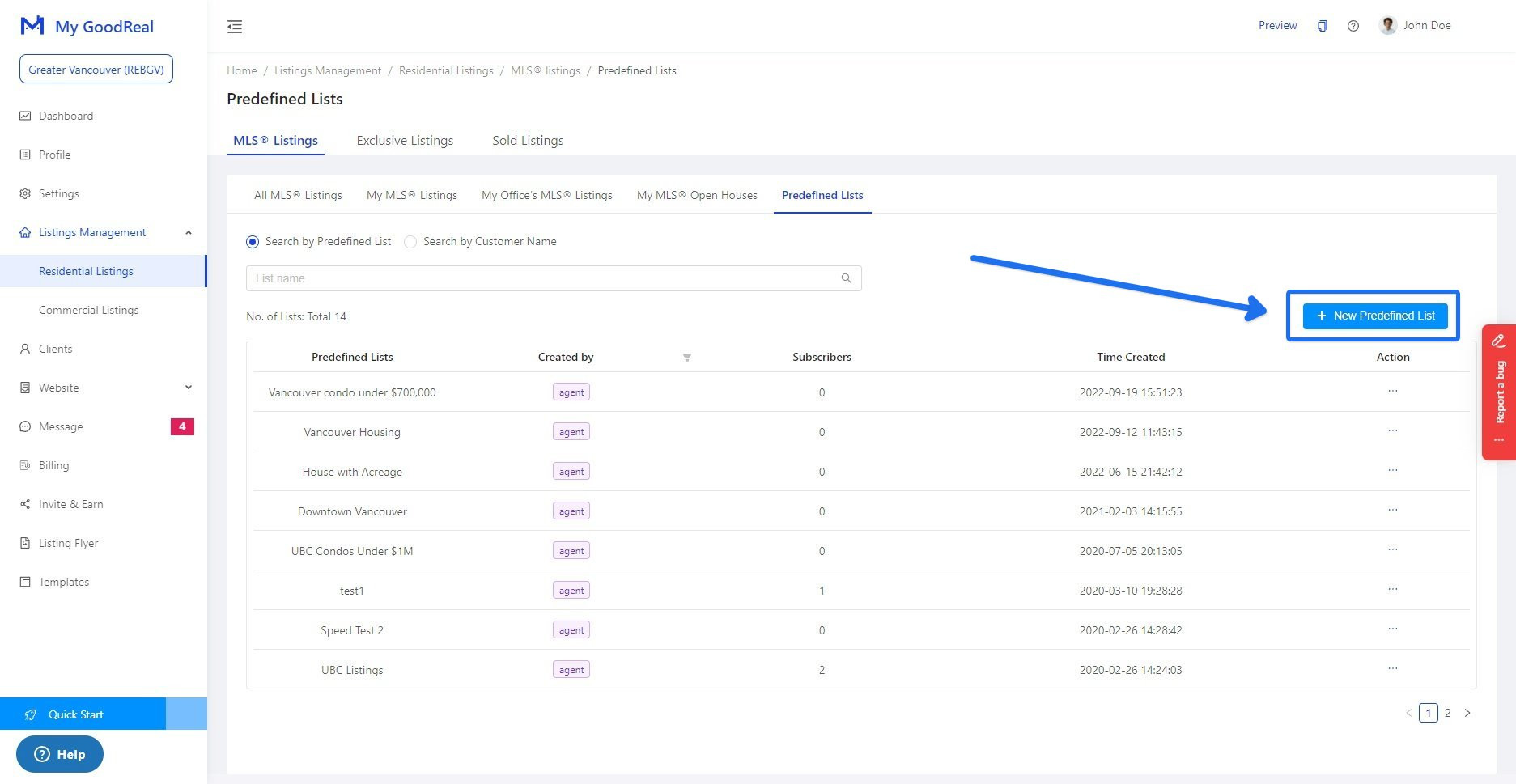
4. Enter a list title name "Vancouver condo under $700,000" and Save
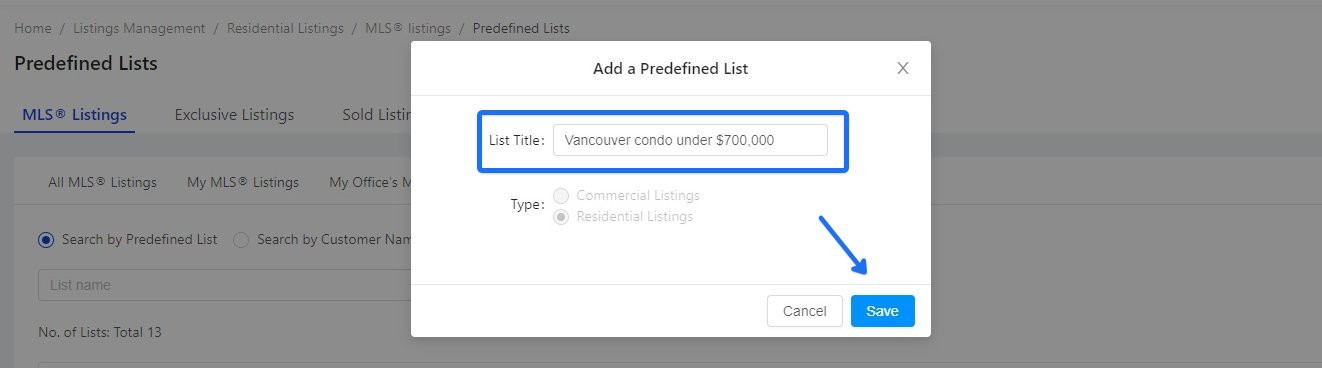
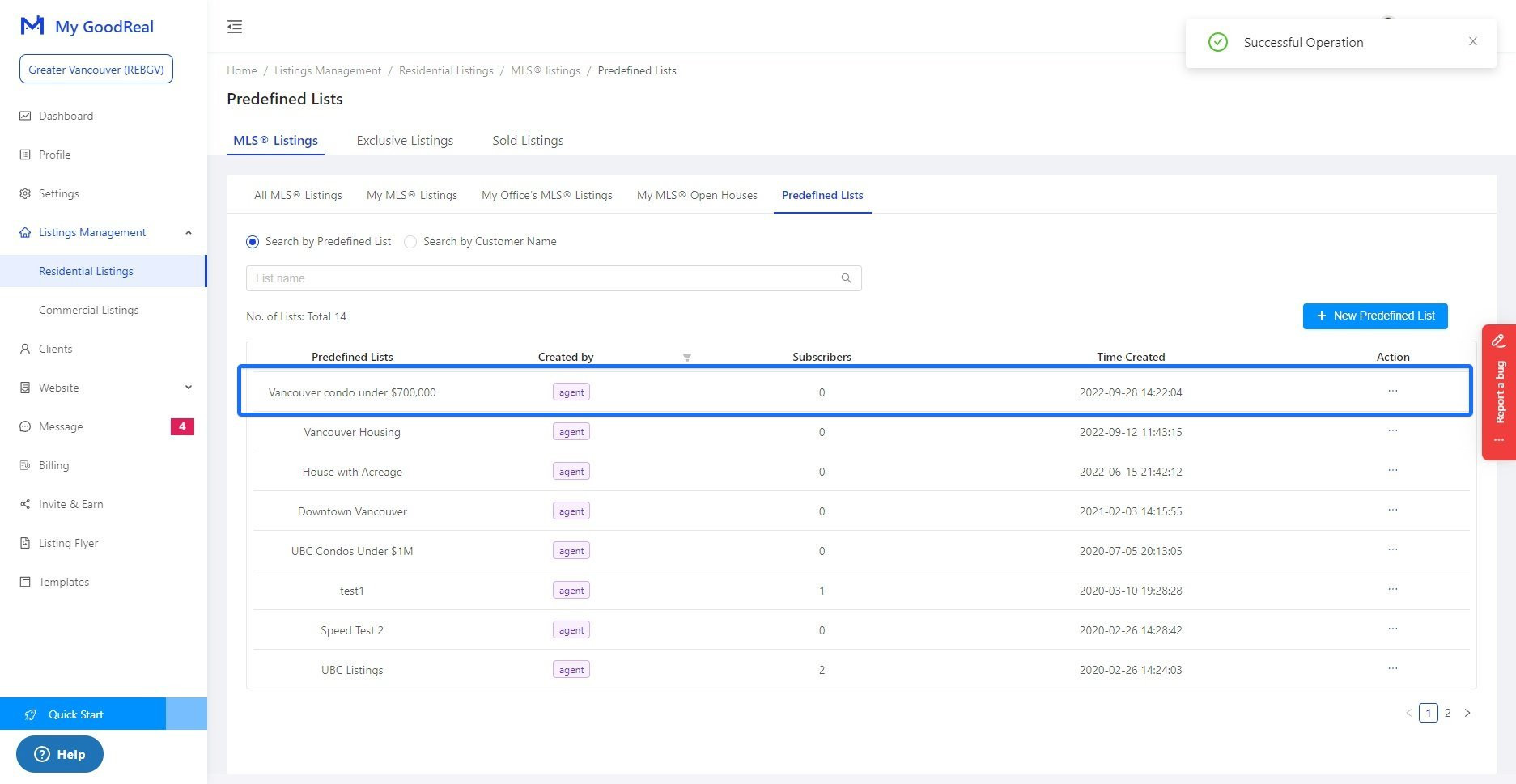
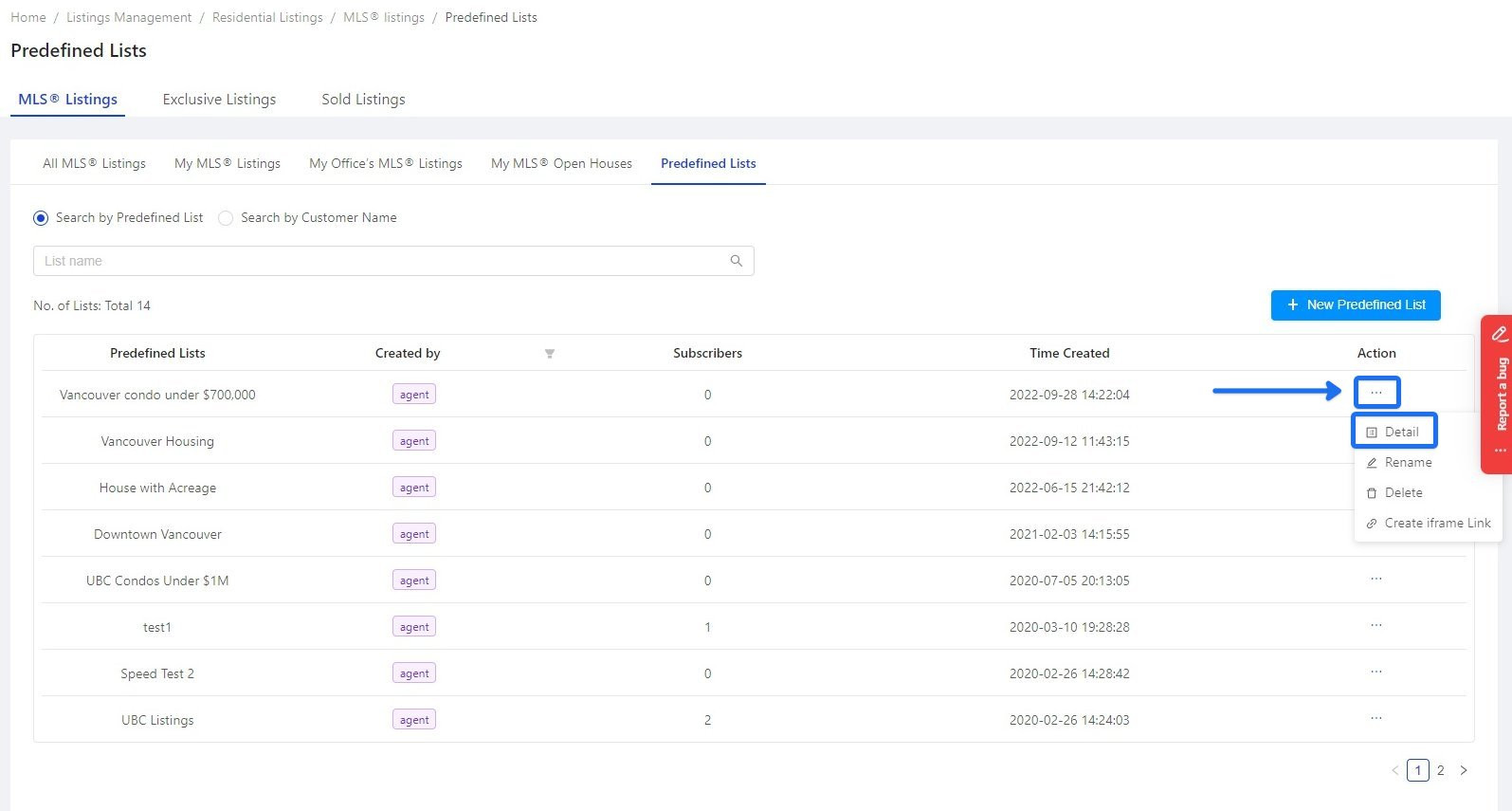
5. After creating a list name, the list name appears in the predefined lists section. To add a criteria list, choose action - Ellipsis (the three dots) > Detail
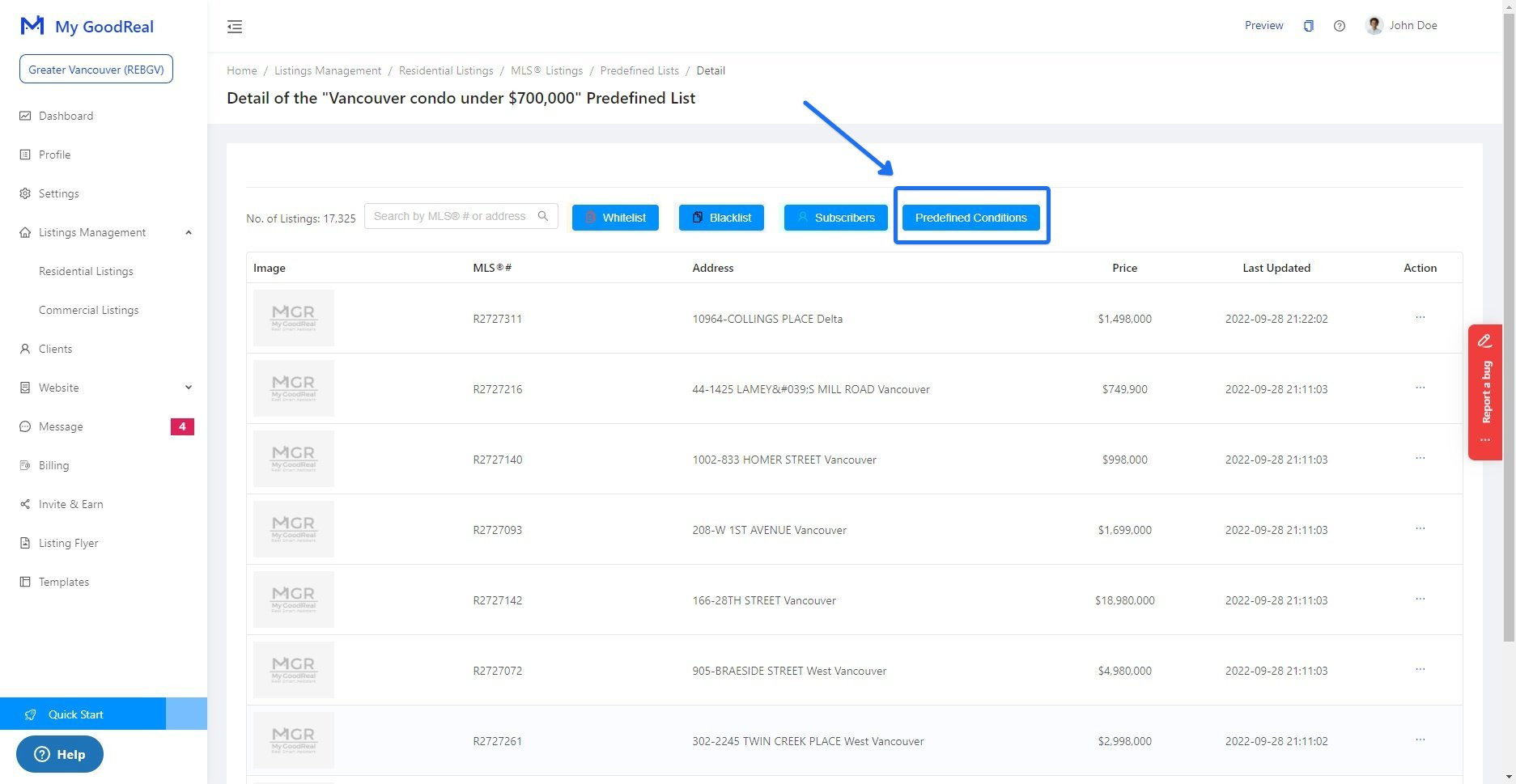
6. In the detail page list, select Predefined Conditions, which will direct you to add any predefined criteria
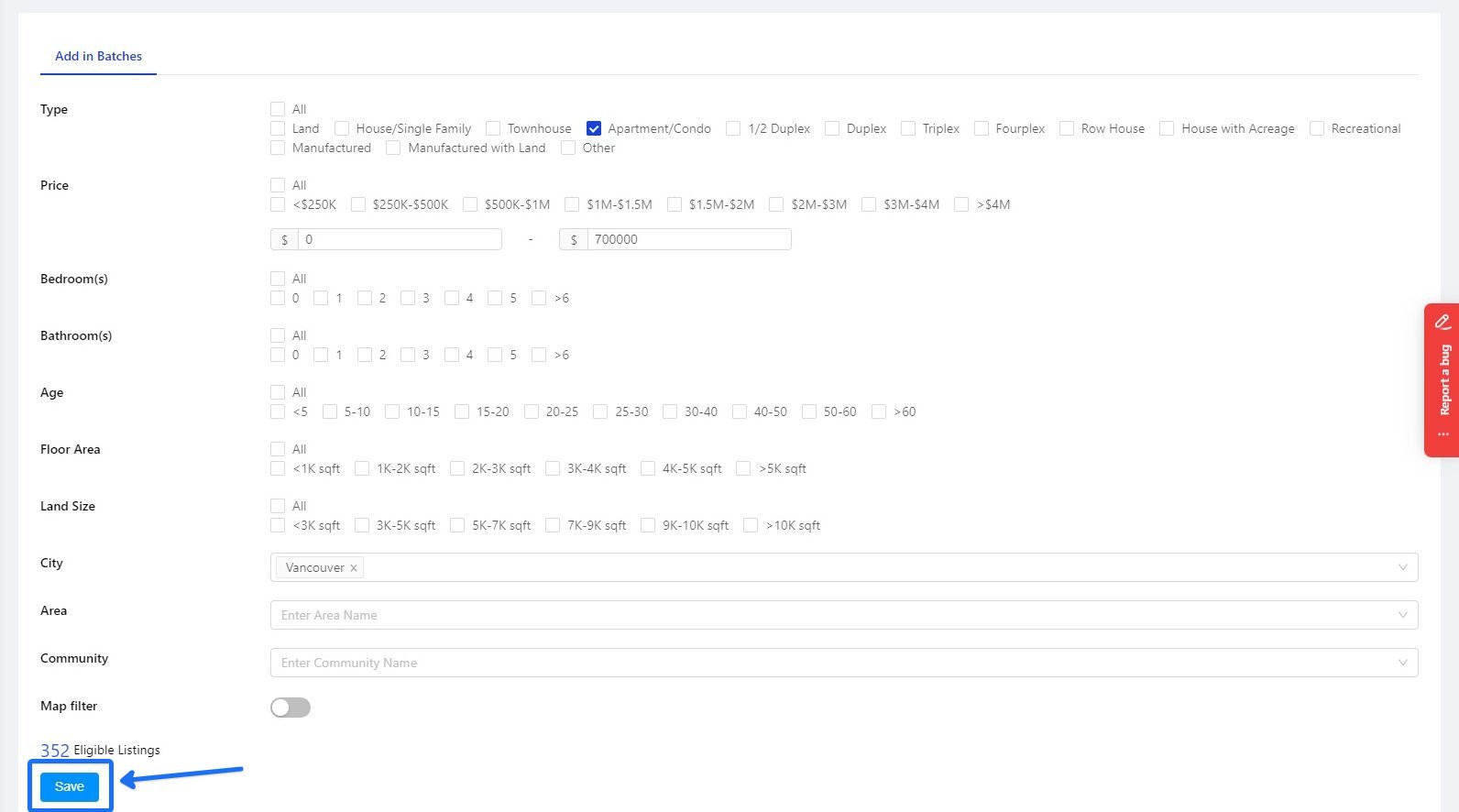
7. Set up criteria for "Vancouver condo under $700,000," choose Type: Apartment/Condo, Price: $0-$700,000, city: Vancouver and Save
8. Once the conditions are saved, you can view all the listings under the corresponding predefined List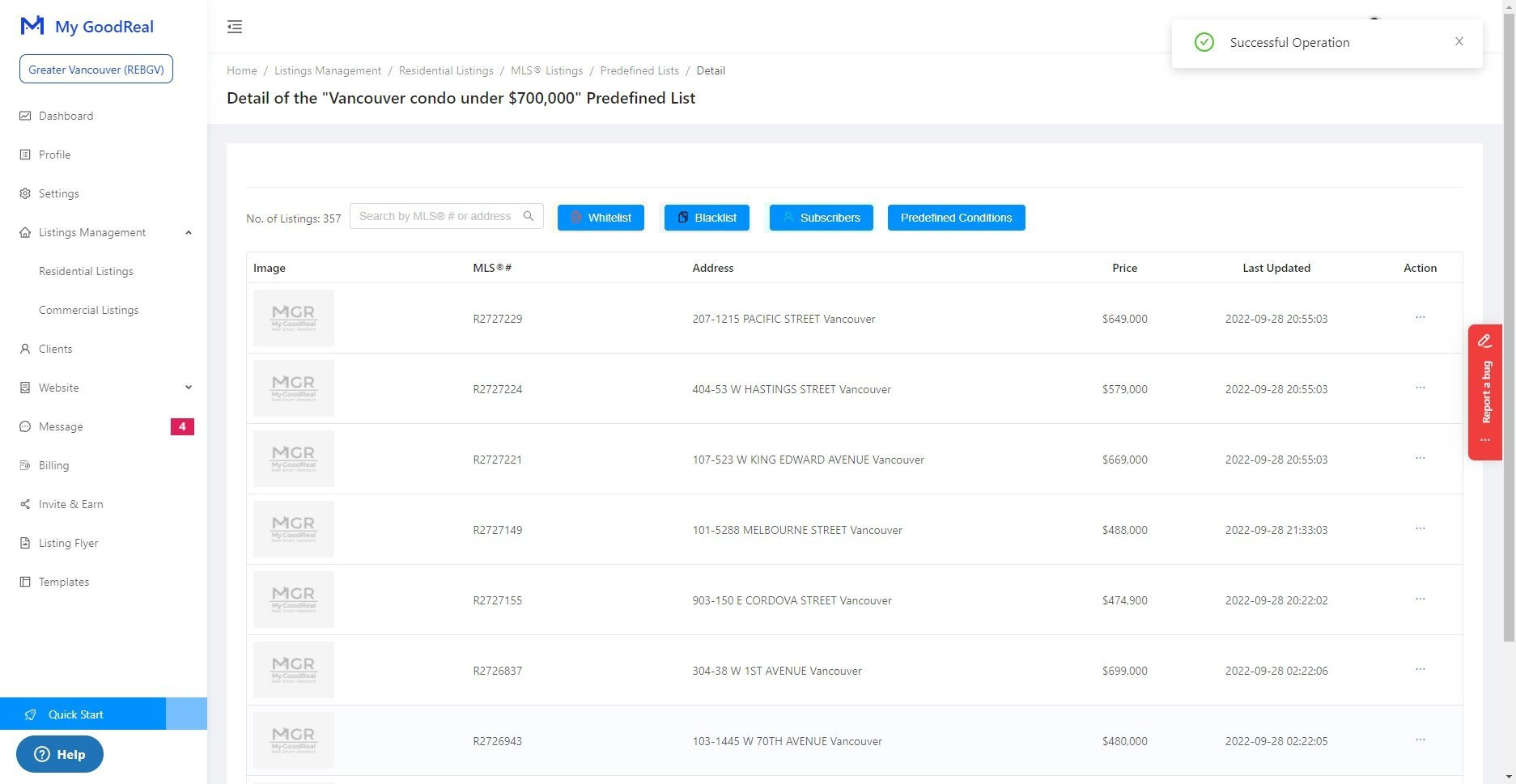
Comments
0 comments
Please sign in to leave a comment.