
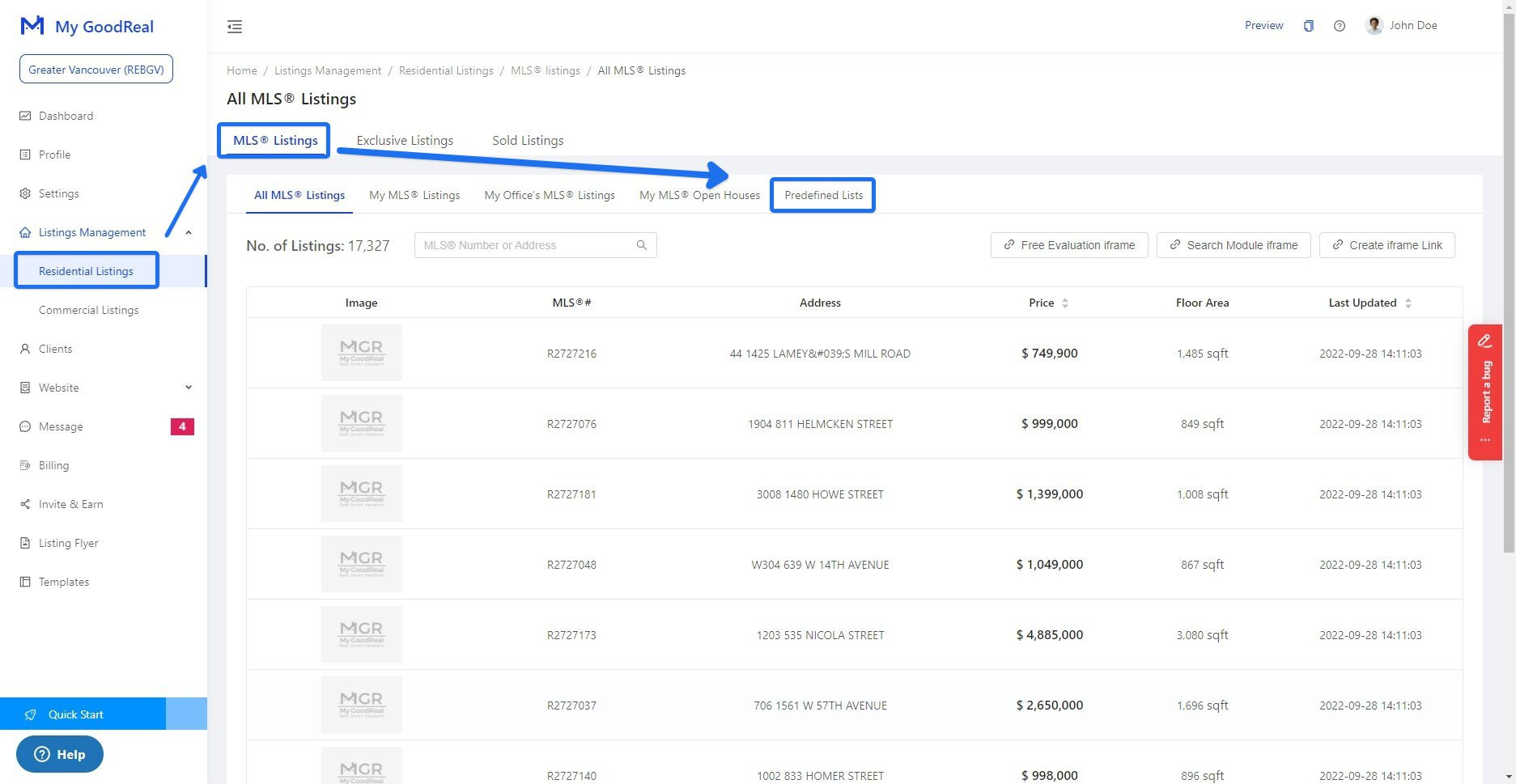
1. First, go to Listing Managements > Residential Listing > MLS Listings > Predefined Lists
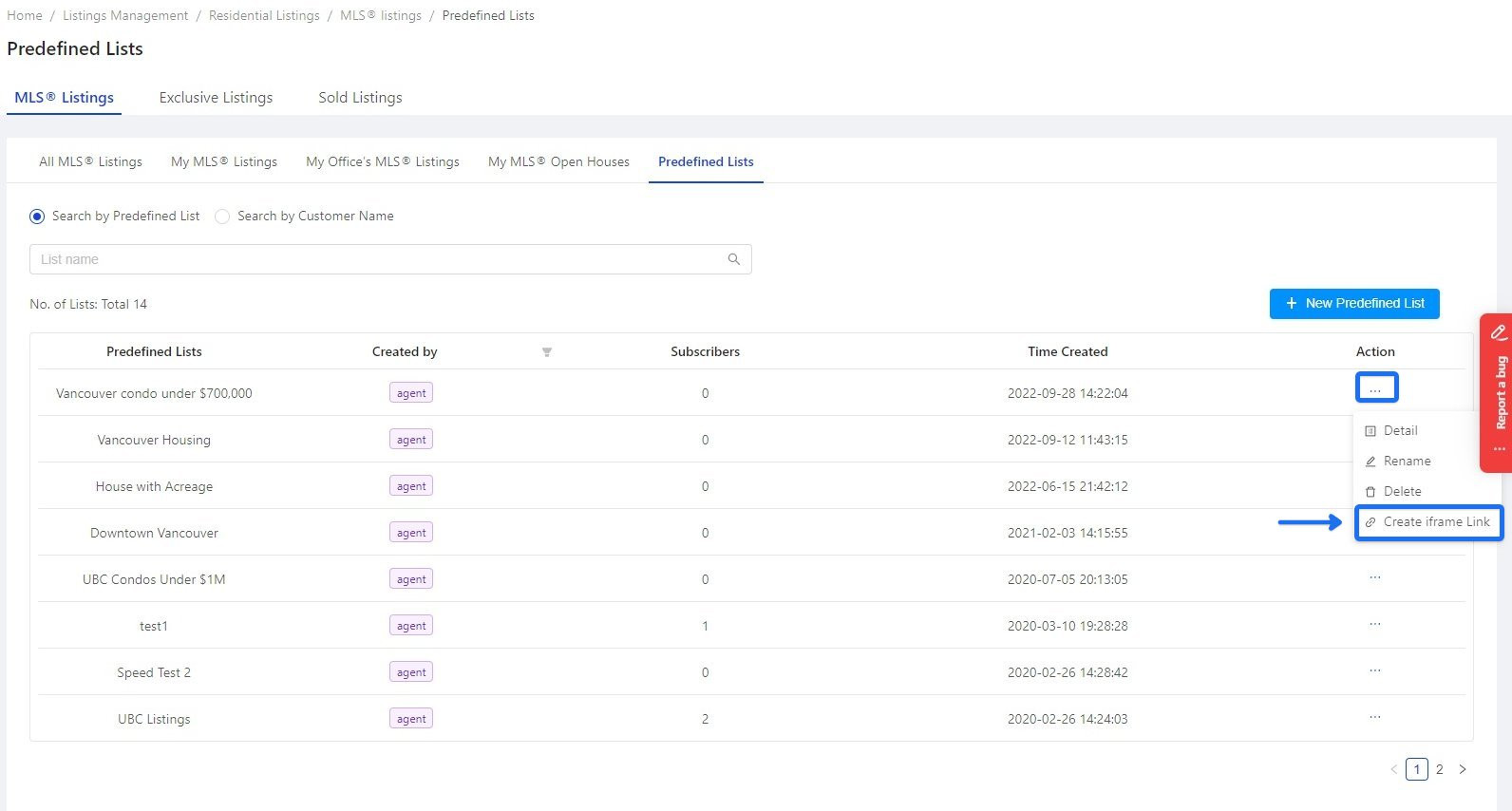
2. Look for "Vancouver Condo under $700,000" and go to action - Ellipsis (the three dots) > Create iframe link
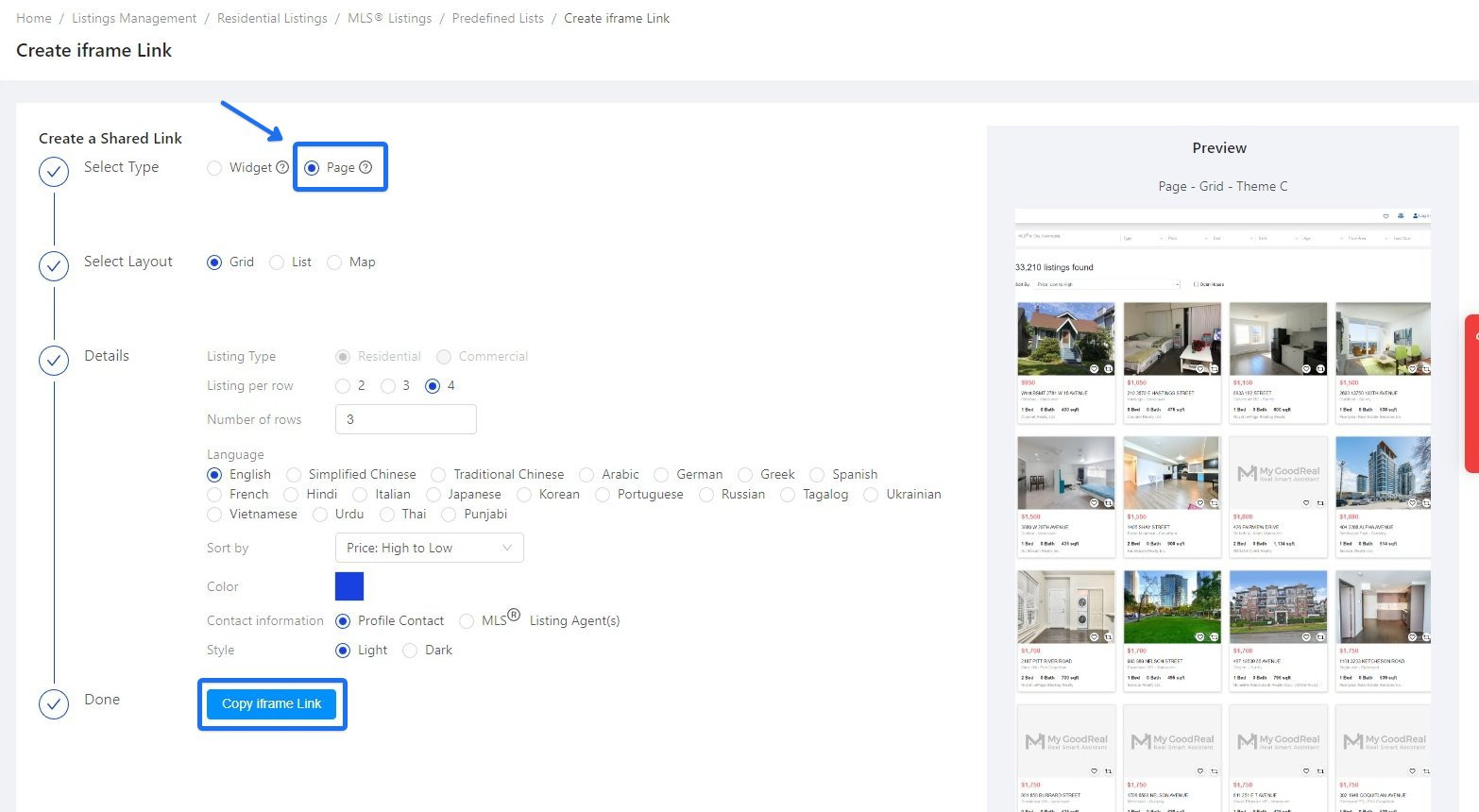
3. On the Create iframe link page, choose Page and set up any layout and details that you want to show your client. After setting up, click Copy iframe link
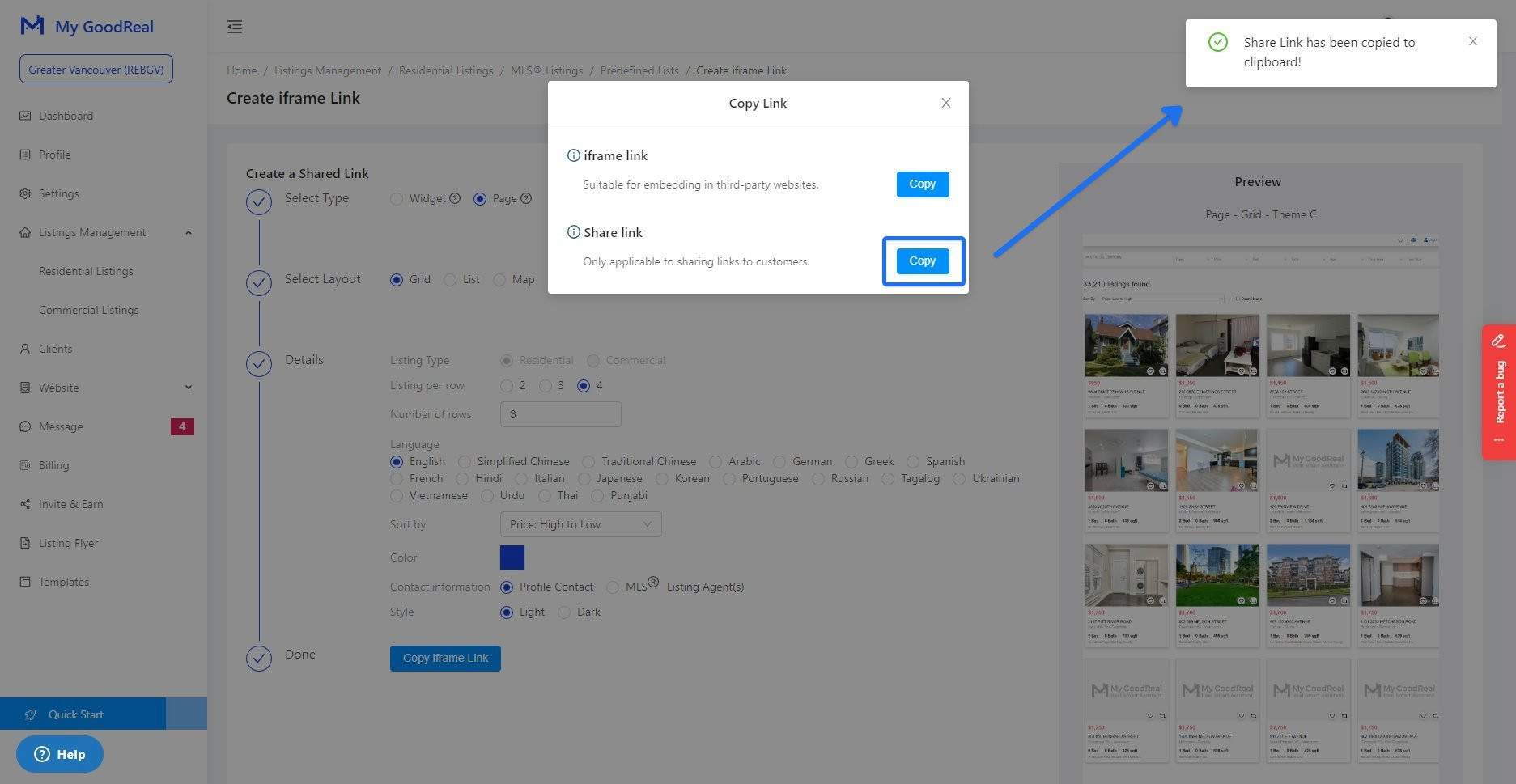
4. Click Copy for the shared link (only applicable to sharing links to customers). When you see the notification " shared link has been copied to clipboard!" on the top right, you can send the link through message directly
Comments
0 comments
Please sign in to leave a comment.