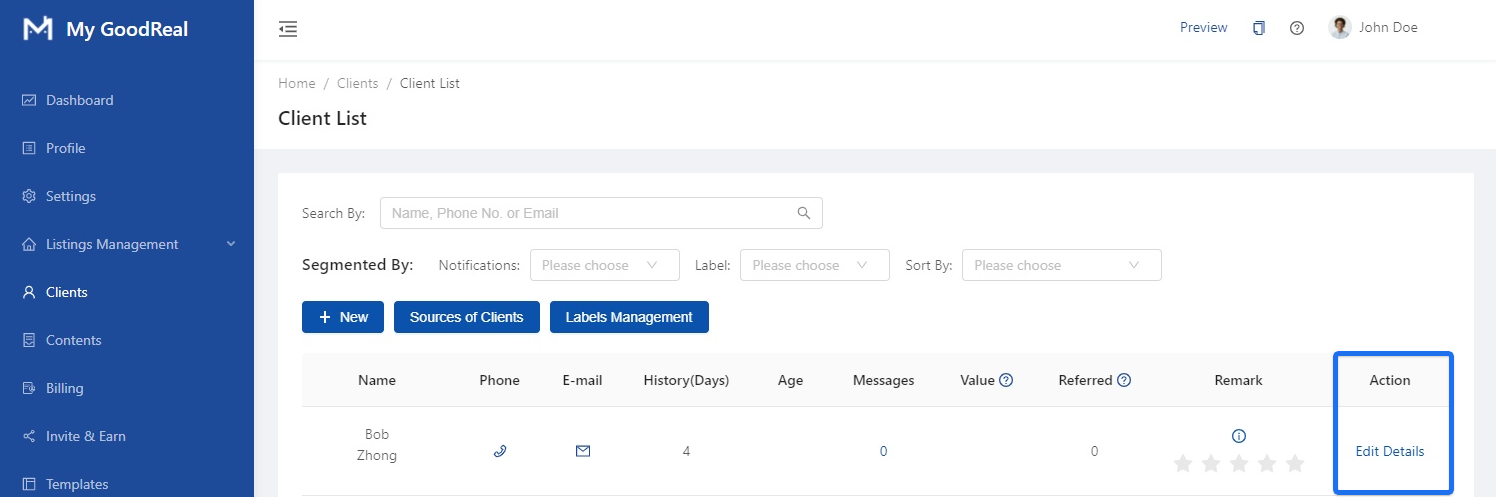
View a full list of all your clients. You can segment by Notifications (Yes / No), Labels, or Sort By.
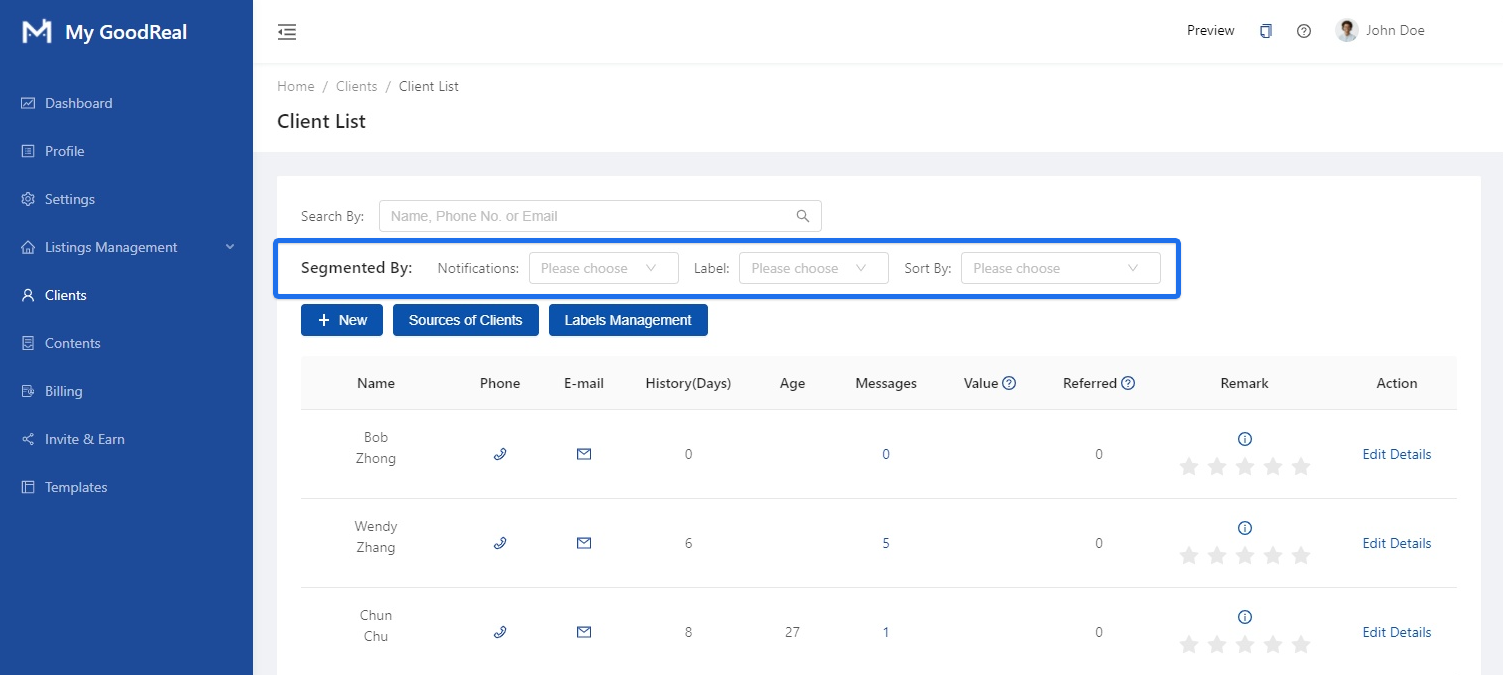
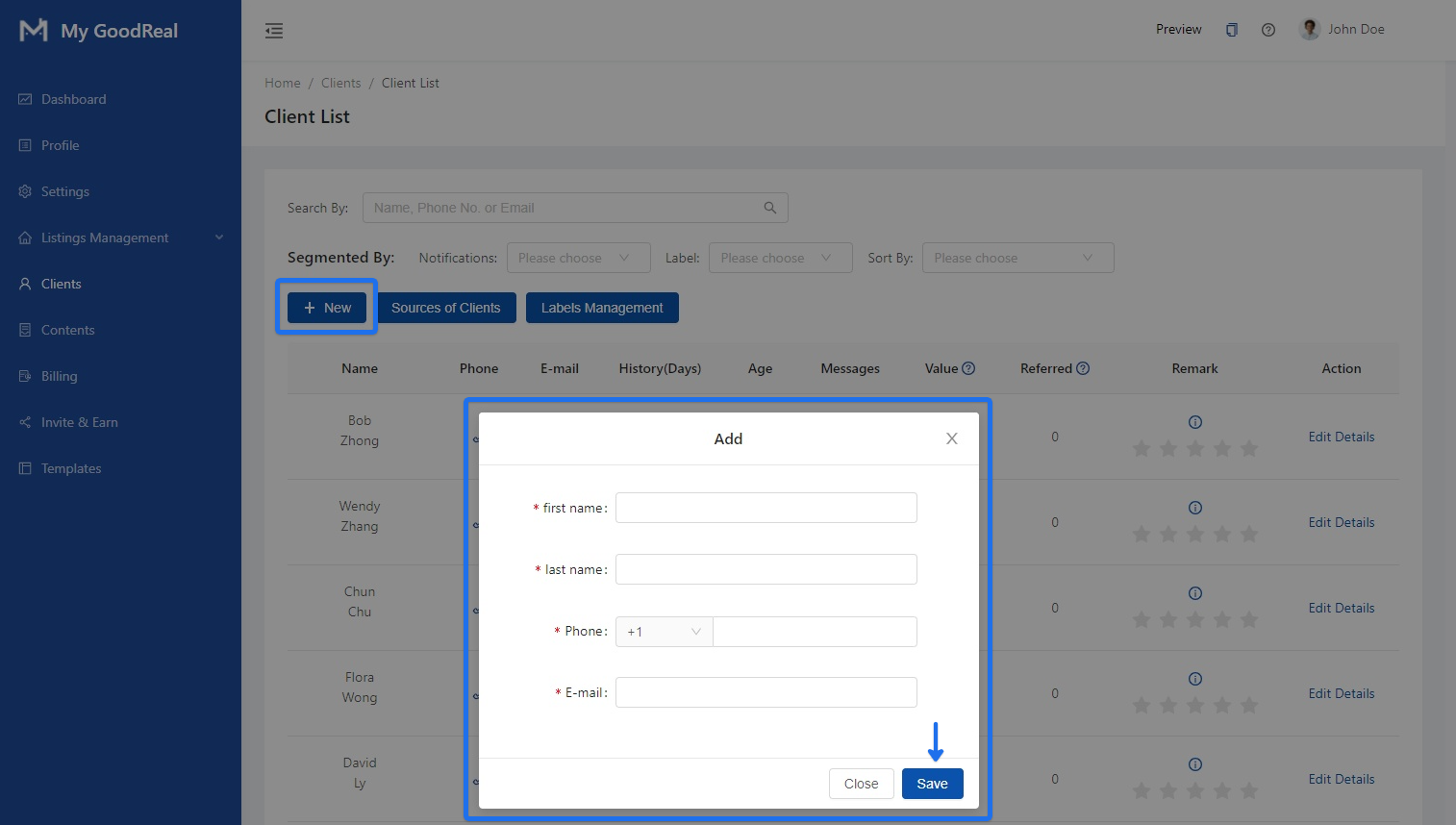
Click the + New button to add a new user. Enter the First Name, Last Name, Phone, E-Mail, and then click Save.
Sources of Clients
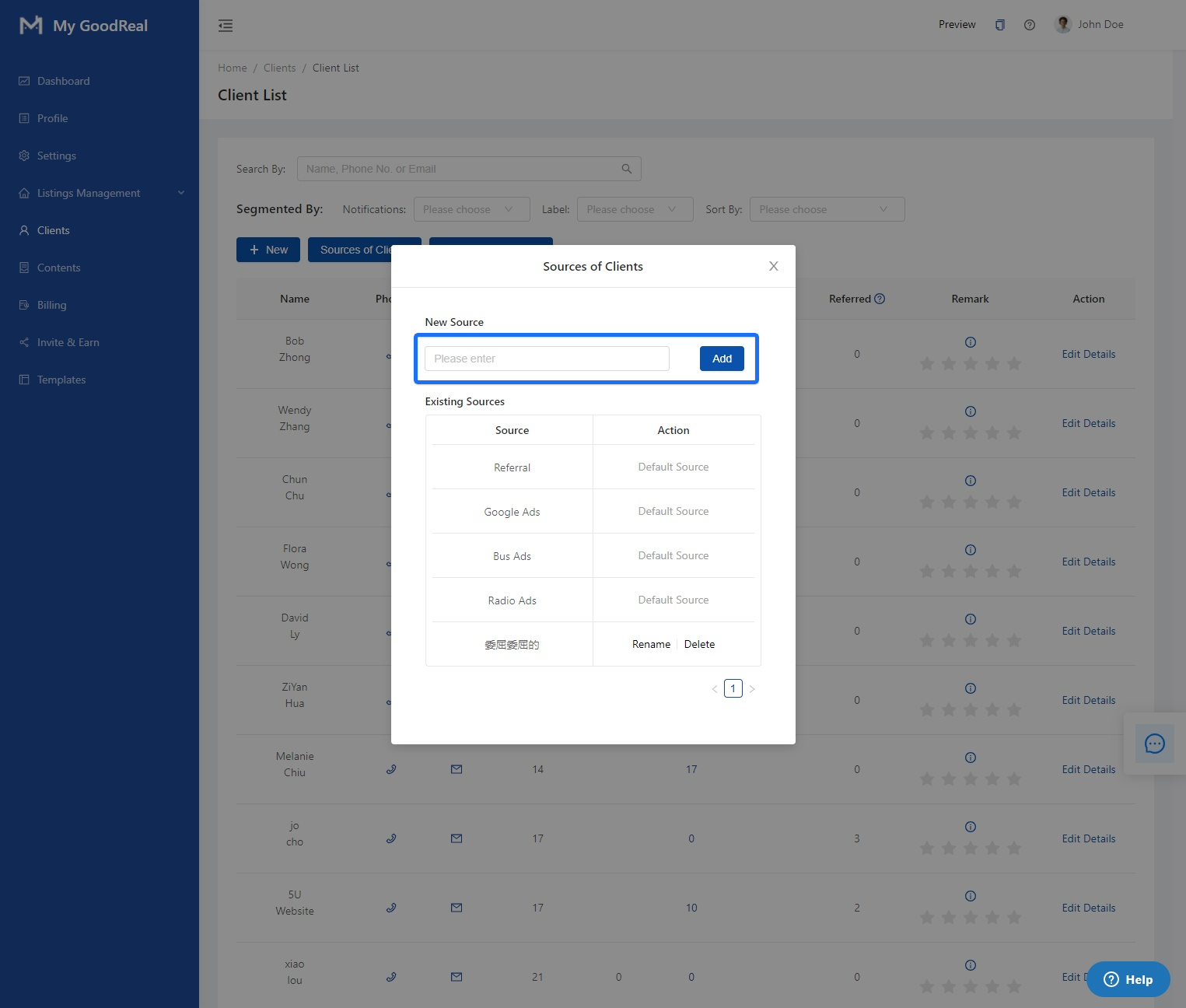
Click on Sources of Clients to create a new source.
Enter the Source name and click Add.
Note: After adding, you can select the newly-added source on the user’s detail page. Default sources and sources of linked users cannot be deleted. Sources of unlinked users can be deleted.
Labels Management
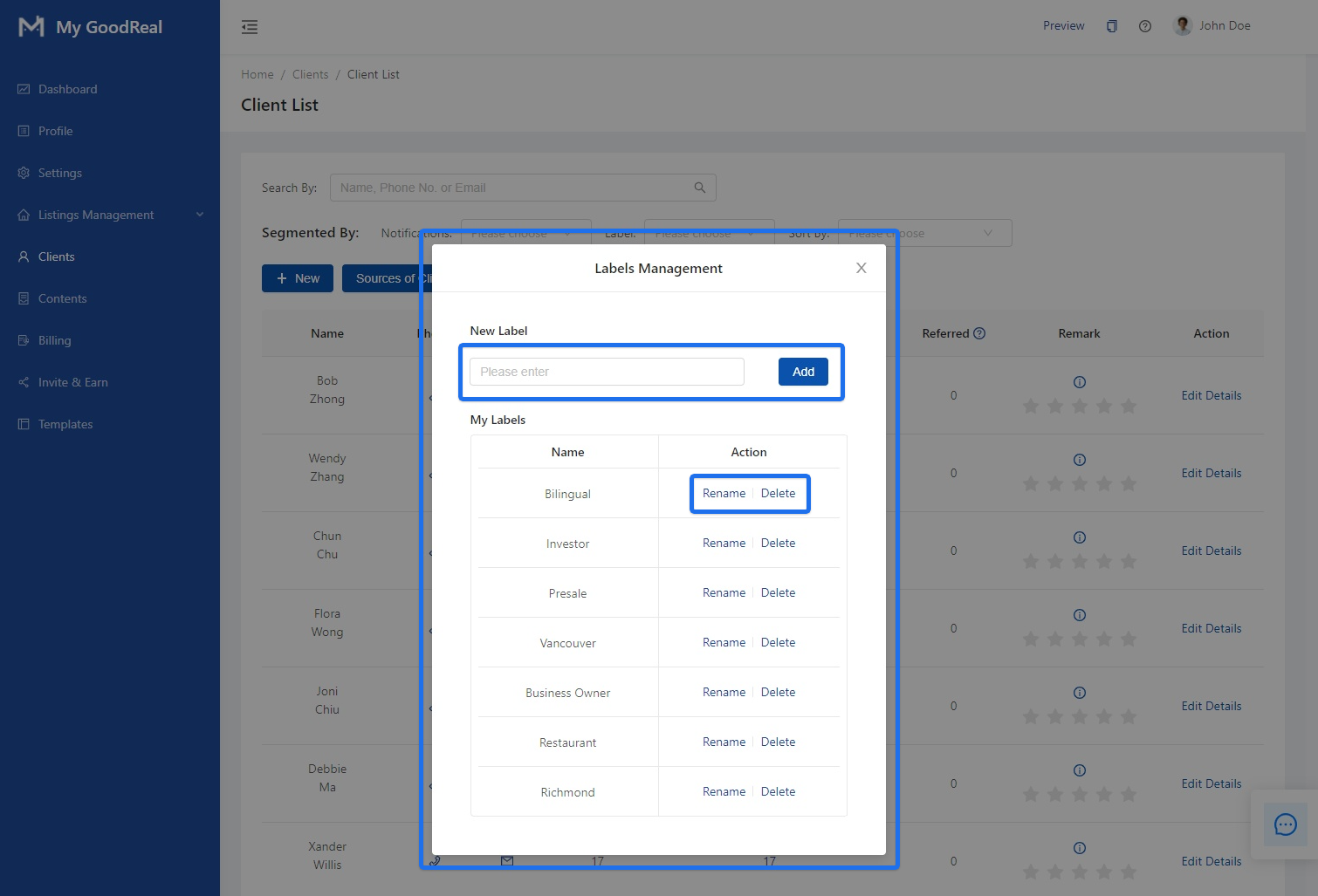
Click on Labels Management to view all your labels, Rename, or Delete.
Enter the label name and click Add. You can also choose to Rename or Delete labels.
Note: After the label is successfully added, you can select the newly added user label on the user details page. Labels of already associated users cannot be deleted, and labels of unassociated users can be deleted.
Edit Details
Click Edit Details to change user-related information.
Click here to read more about the Profile of each client when you click into Edit Details.



Comments
0 comments
Article is closed for comments.