
Display the current user’s Buying and Selling Records, and the total price of the houses sold and purchased by the user.
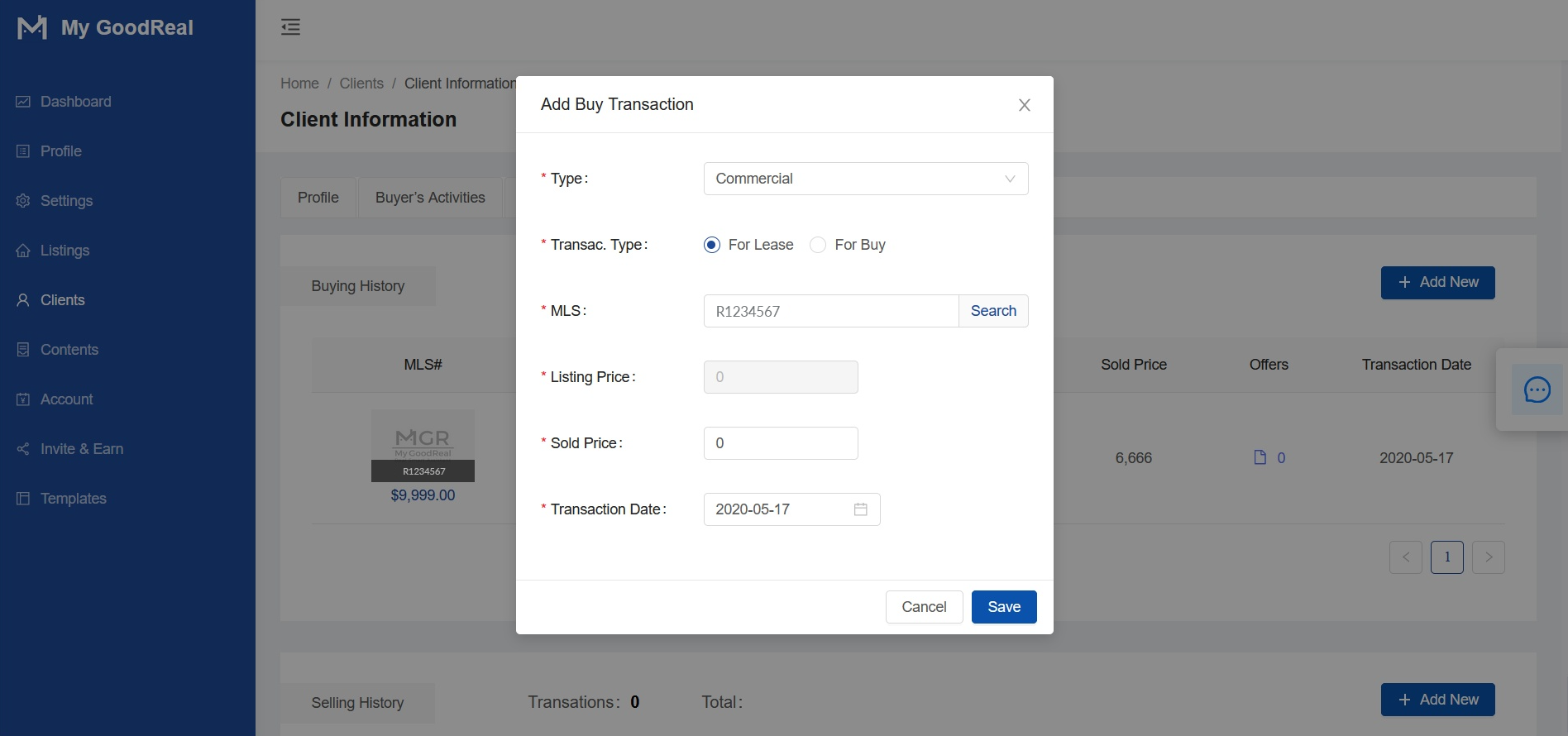
Add Buy Transaction
- Click + Add New to add.
- Select the housing Type (Commercial or Residential) and Transaction Type (For Lease or For Buy).
- Enter the MLS # and click Search. If you can find the house, it will automatically fill in the listing price (which cannot be changed).
- Click Save.
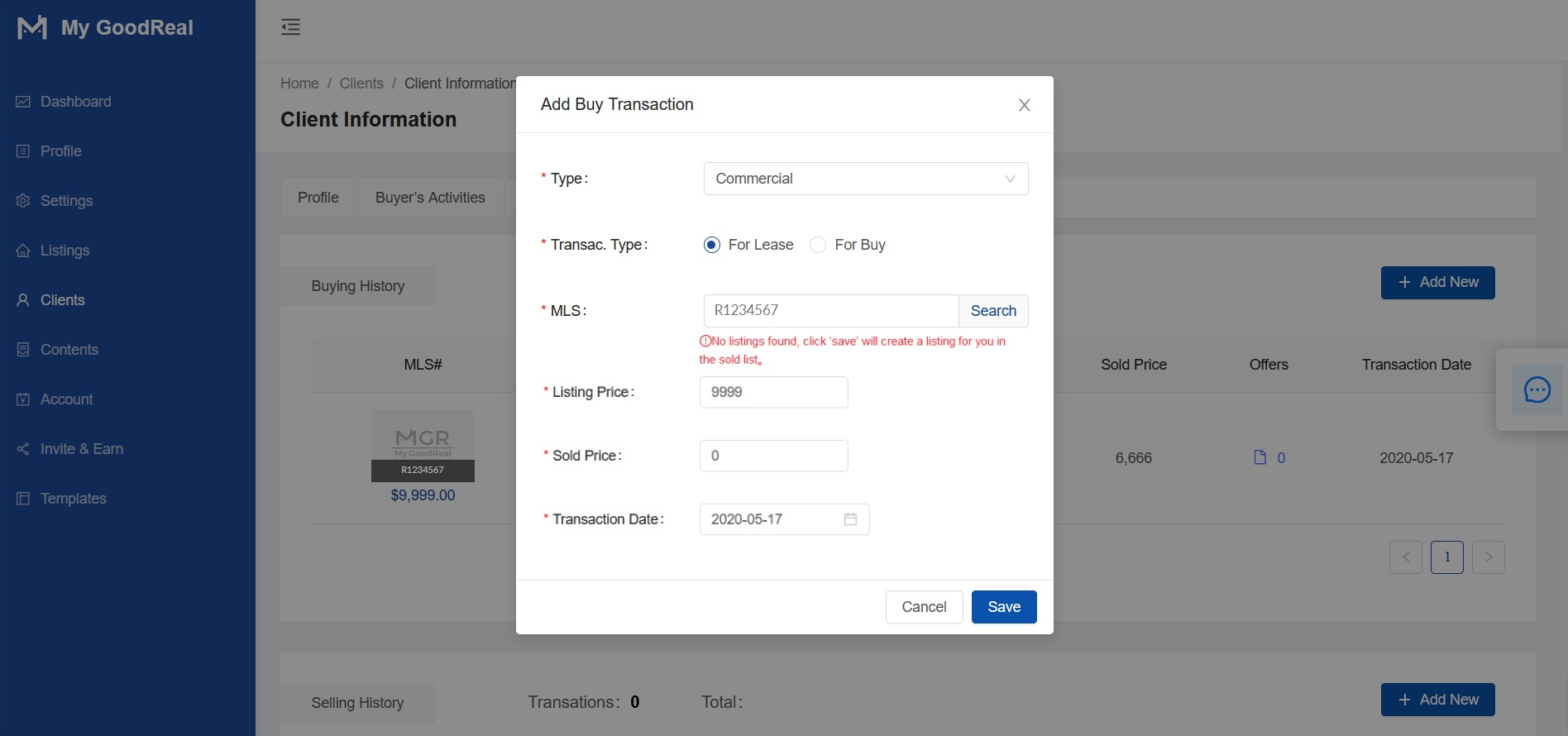
If you click the search button and no house is found, it will prompt you to save the transaction, fill in the Listing Price, Sold Price, and Transaction Date. Click Save. This new transaction will be added to the list of sold houses.
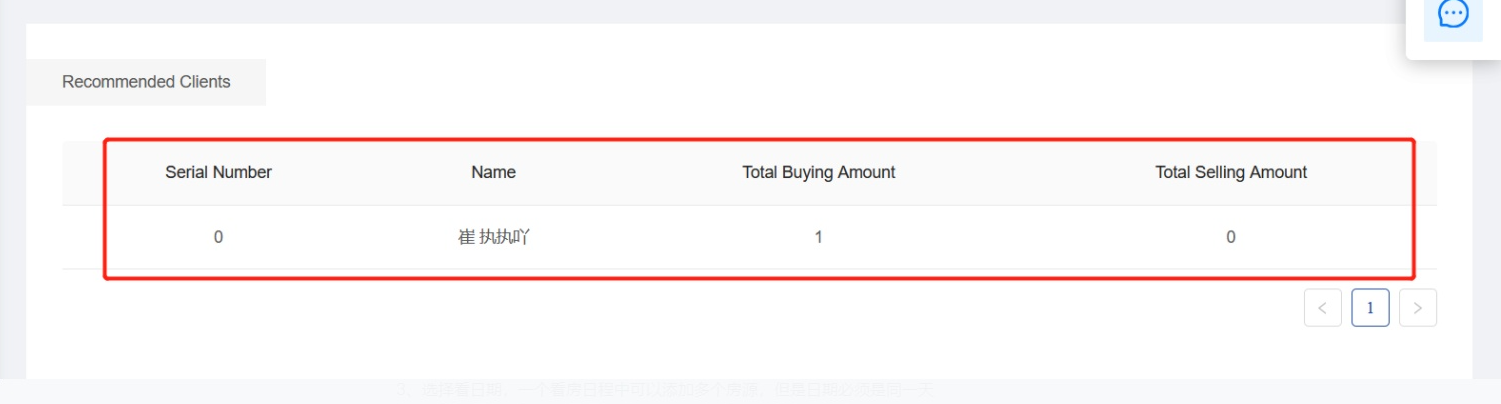
Referred Clients
Display the data of buying and selling houses of referred clients.
Comments
0 comments
Article is closed for comments.