
You can view the buying activities for your clients.
- You can filter the data by choosing a time interval, such as All Time, Last Week, Last Month, or Last 3 Months.
- View the user’s Browsed, Favorites, Viewed, and Offers.
- The location of the house will be displayed on the map, and you can roughly see the area where the users wants to buy.
- Click the full screen button to enlarge the map; press Esc to exit the full screen mode.
- Housing information is displayed on the right side of the map. Click the left and right arrows to switch to other housing data.
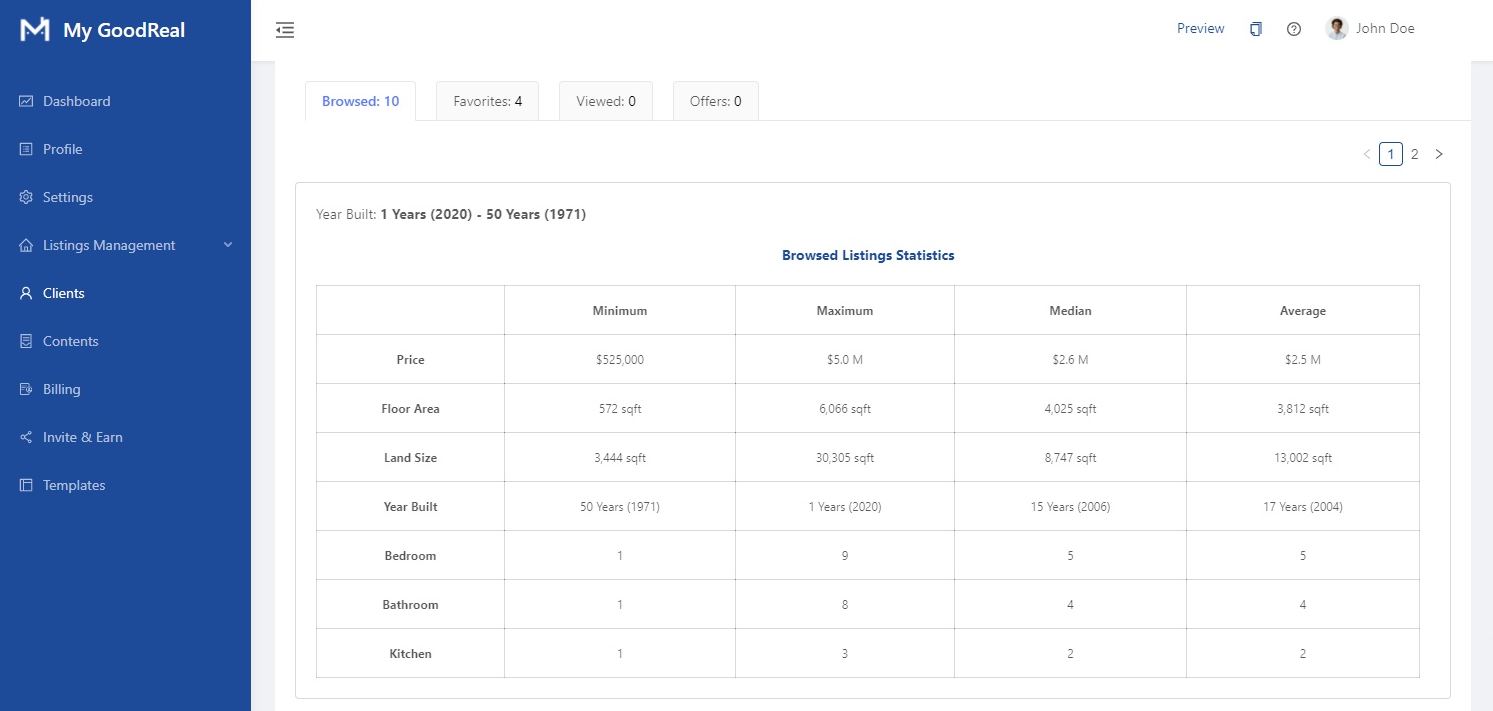
- After comparison, the average prize, size, and number of rooms are displayed, making it easy for real estate agents to analyze buyer needs.
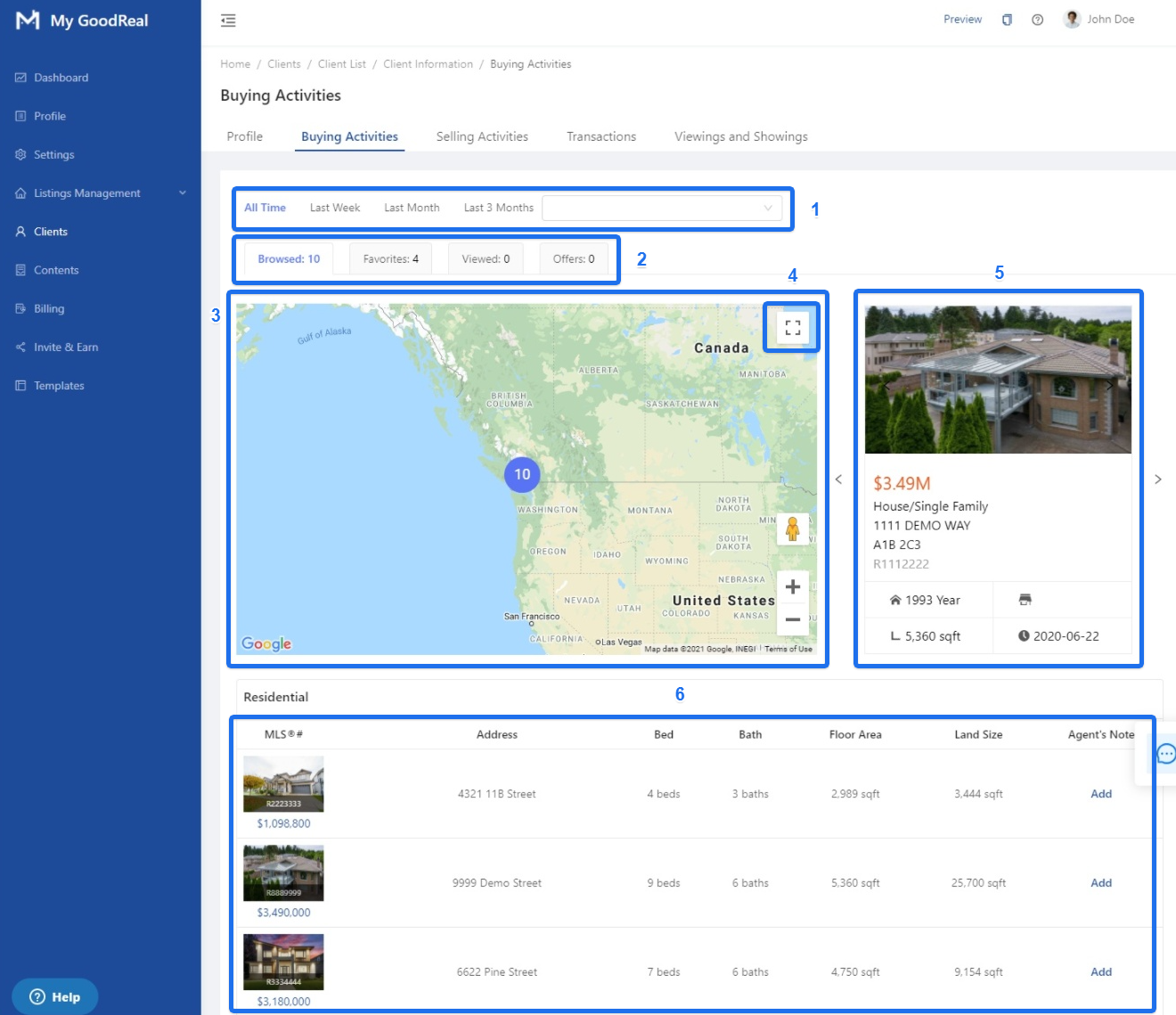
The housing list is divided into two parts: Residential and Commercial. Click Add to include an Agent’s Note.

Browsed Listings Statistics
- View detailed information on the user’s Browsed Listings, such as Price, Floor Area, Land Size, Year Built, number of Bedrooms, Bathrooms, and Kitchens.
- The data can be compared based on Minimum, Maximum, Median, and Average.
- Customize the time interval to filter data.
Comments
0 comments
Article is closed for comments.